Administration - Smart Quote: Attribute Valid Values
An attribute supports multiple valid value sets. This is a powerful feature used when the options presented in a dropdown must vary dynamically based on previous selections or environmental factors.
Filtering is handled via computation within the Attribute Setup rather than the Rules engine. By defining conditions directly on the value sets, the system ensures users only ever see and select valid combinations at the point of data entry.
Setup
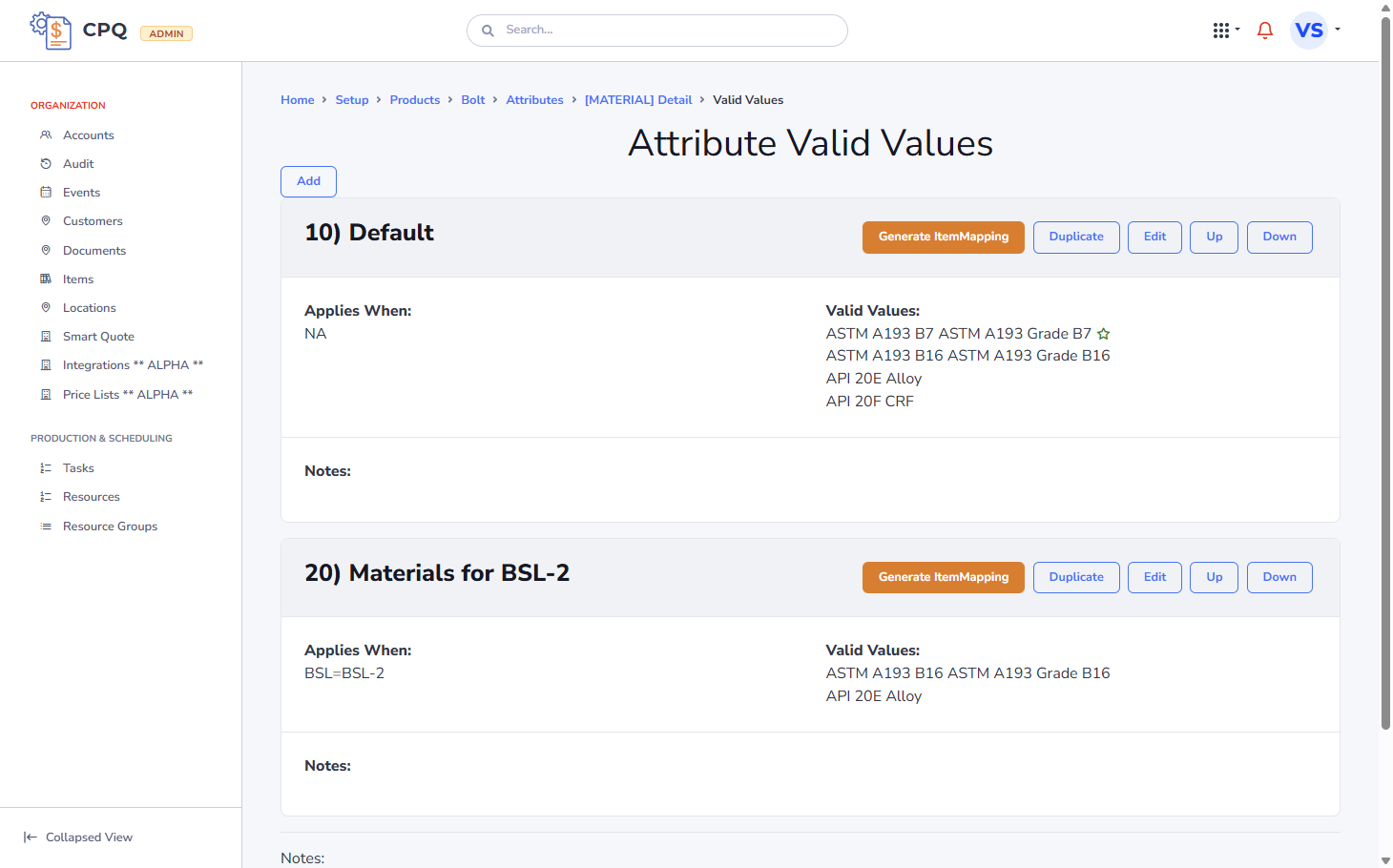 (The Valid Values setup allows defining multiple sets with "Applies When" conditions)
In the Velosity Admin UI, valid value sets are configured from the Attribute Detail view.
Path: Home > Setup > Products > [Product Name] > Attributes > [Attribute Name] Detail > Valid Values
Example: BSL-2 Material Constraints
In this scenario, a Bolt product has specific MATERIAL restrictions when BSL BSL-2 is selected.
10) Default Materials
- Applies When:
NA(This set is always active or serves as the base, i.e. BSL-1 or BSL-3) - Valid Values:
ASTM A193 B7(ASTM A193 Grade B7)API 20F CRF
20) Materials for BSL-2
- Applies When:
BSL=BSL-2 - Valid Values:
ASTM A193 B16(ASTM A193 Grade B16)API 20E Alloy
Note: for this to work as desired, the BSL attribute (on a Page) should appear BEFORE the MATERIAL attribute. They should not appear in reverse or on the same Page.
Best Practices
- Mutual Exclusivity: Ensure that your
AppliesWHENconditions do not overlap unless you specifically intend to combine the results of multiple queries. - Default Sets: Always provide a "fallback" set (e.g.,
Applies WhenisNAor blank) so the user can see options before a dependent attribute is selected.