Administration - Smart Quote Logic and Rules
Smart Quote Rules are the "glue" that maps Attribute values to the Router and Bill of Materials.
Key Components
- Rule Facts (Attributes): How to reference attributes in your "When" conditions.
- Rule Functions: Actions you can take in your "Then" blocks (adding items, logging, etc.).
- Item Mapping: An alternative to rules for high-volume, static BOM additions.
- Error and Warning Strategy: Best practices for guiding users and preventing invalid configurations.
- Item References: A summary view of all items potentially added by rules.
List
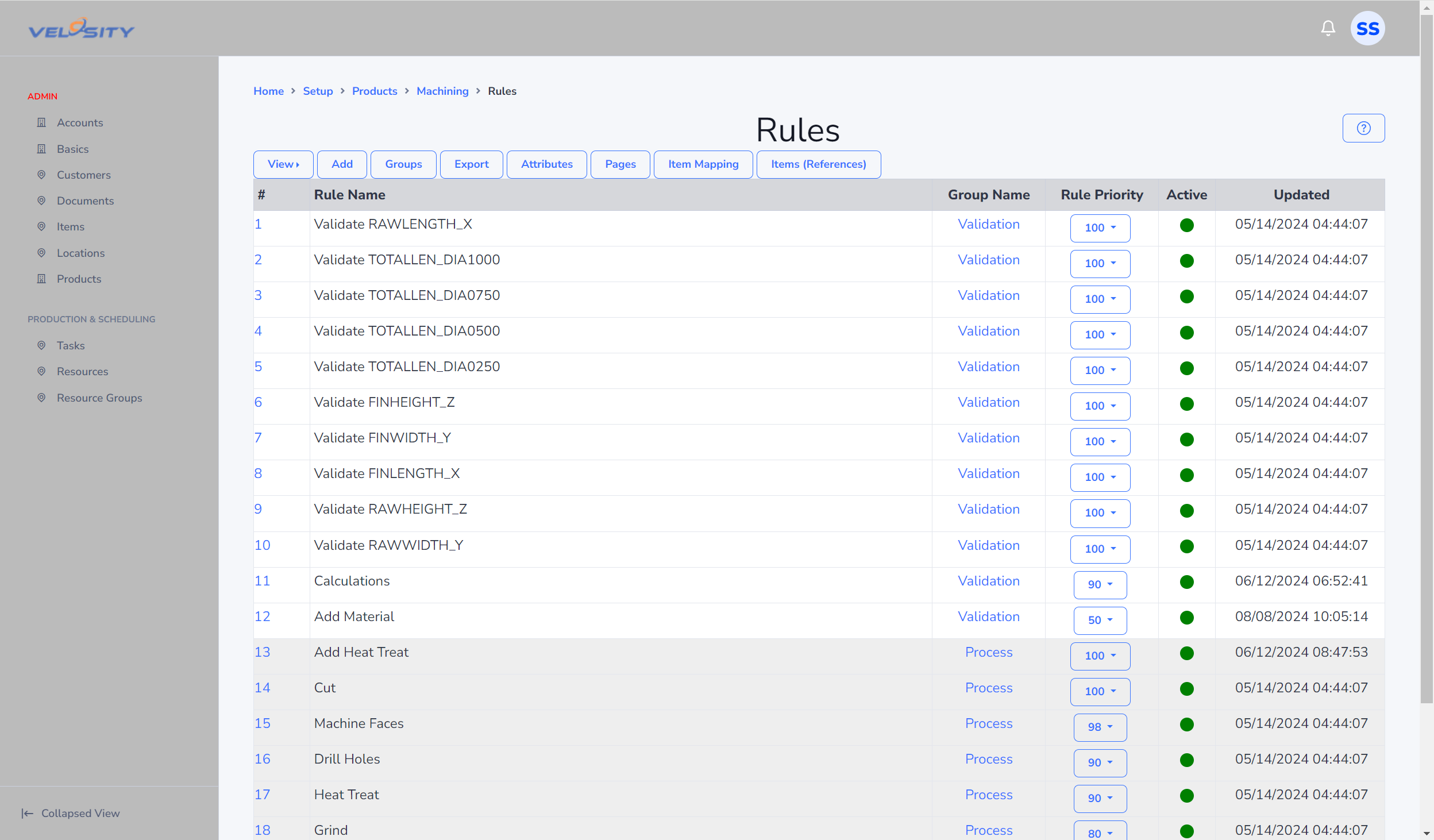
The List view allows you to see various properties across all rules. Use the View button to see other properties. Shown below is the Priority view. A second view is Rules All which shows all rules in one view for easy comparison with links and buttons for editing.
Detail
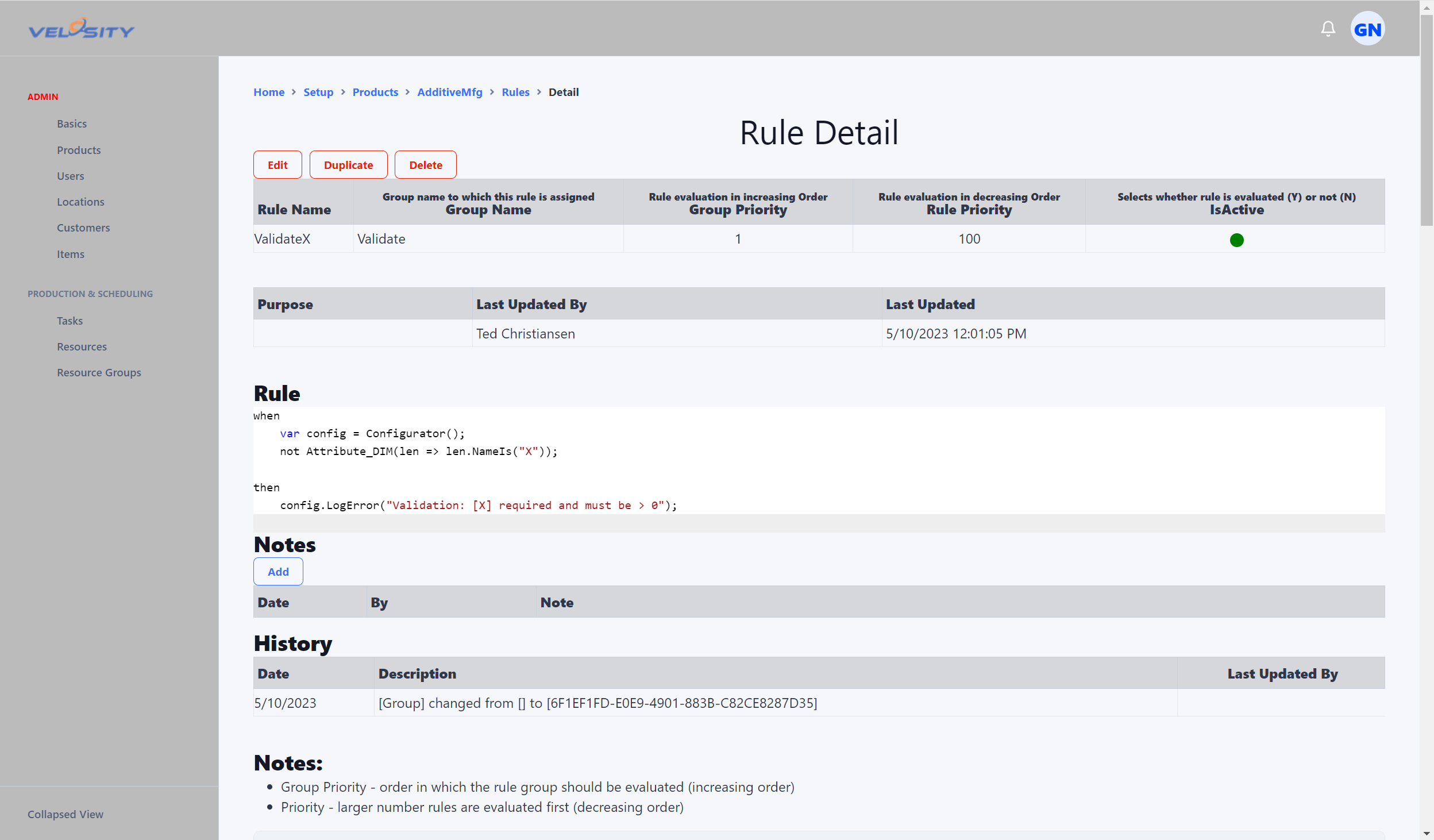
The format of a Rule is a when block followed by a then block. The syntax is C#. Lines in the When clause are ANDED (Boolean AND) together (all must be true). Boolean OR can be used within the lambda expression, like this (the || on the right). The order of evaluation follows the same rules as a mathematical expression.
when
    // find the Configurator object (so we can use it in the Then block)
    var config = Configurator();
    // find TEXT attribute having Name "MATERIAL" and (Value "STEEL1" OR Value "STEEL2")
    var mat = Attribute_TXT(x => x.NameIs("MATERIAL") && (x.ValueIs("STEEL1") || x.ValueIs("STEEL2")) );

then
    // Add Task(s)
    config.TaskAdd("DESIGN");
Simple
when
    // find the Configurator object (so we can use it in the Then block)
    var config = Configurator();

then
    // Add Task(s)
    config.TaskAdd("DESIGN");
Complex (Slightly)
when
    // find the Configurator object (so we can use it in the Then block)
    var config = Configurator();
    // ** AND **
    // find TEXT attribute having Name "MATERIAL" and Value "STEEL1"
    var mat = Attribute_TXT(x => x.NameIs("MATERIAL") && x.ValueIs("STEEL1") );

then
    // Add Item to Bill Of Materials. Item Number is from Items
    // Alternative to adding via Rules is to use Item Mapping
    config.AddItem("ItemNumber", 1.0m); // m indicates decimal value (required)
    // config.AddItem("ItemNumber", 1.0m).AddNote("Note...");
    // config.AddItem("ItemNumber", 1.0m).AddAttribute("Name", "Value");
    // Add Tasks
    config.TaskAdd("DESIGN");
    config.TaskAdd("ROUTER_PROG");
    config.TaskAdd("ROUTER_PROG").Detail("Process Detail Here...");
    //
    config.AddNote("This is a note");
    //
    config.WeightSet(1.25m);
    config.WeightAdd(0.25m);
    //
    config.LengthSet(20m);
    config.LengthAdd(0.25m);
    //
    config.QuantitySet(1.0m);
    config.QuantityAddAdd(1.0m);
Add
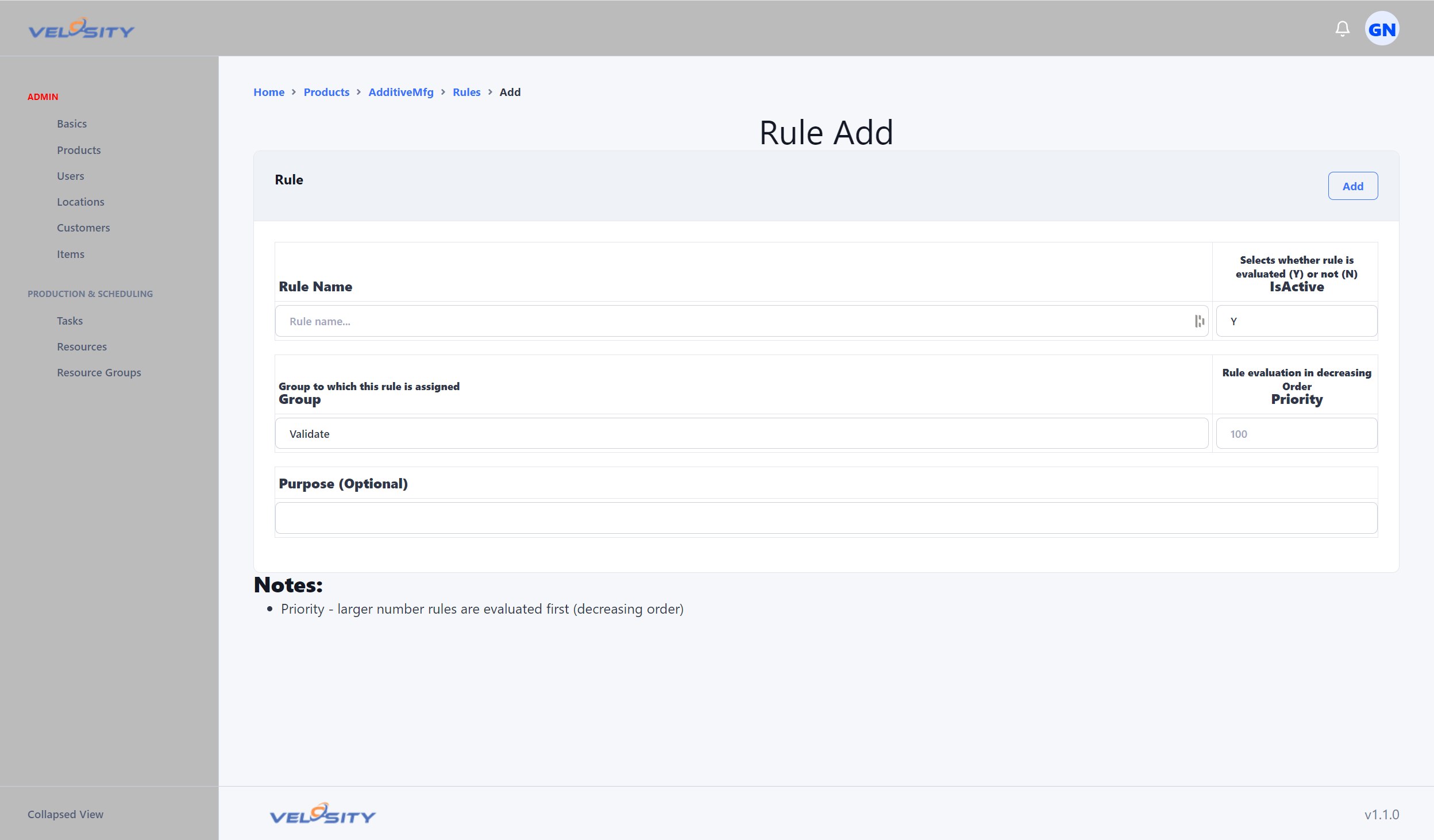
The "Rule Add" view allows you to add a Rule. At this stage just the Rule basics are required (not the Rule itself).
Rules are evaluated by Group first, then in Priority in descending order (highest first). This allows you to control the sequence of rule execution and thus the sequence of how a router is built up.
Edit
The "Rule Edit" view allows you to update the basic details of the Rule and the Rule itself.
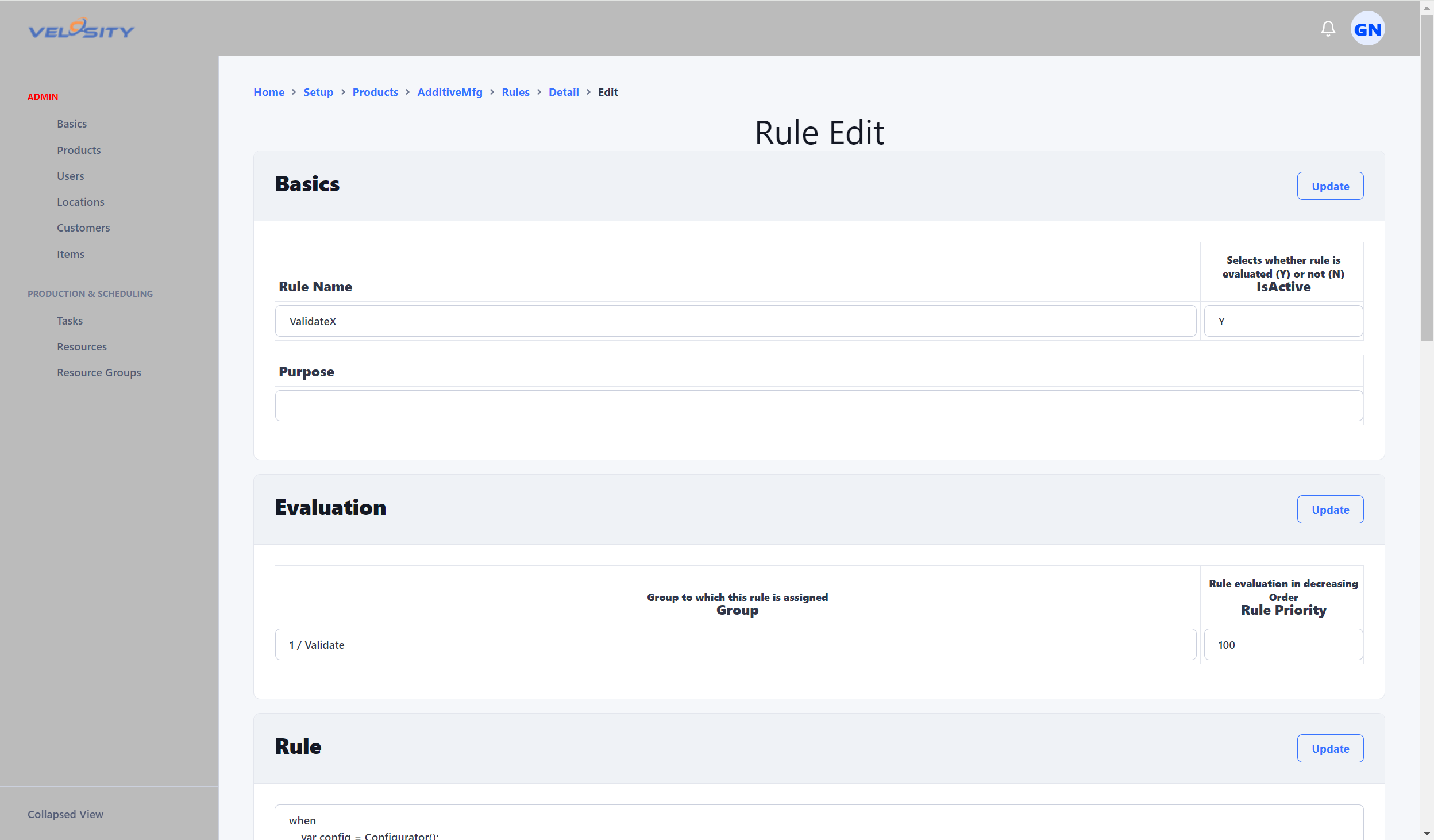
"Fast Add" buttons enable you to quickly add when/then elements that can be further edited.