Developers - PDF
Velosity uses Word templates that are converted to PDF in various places.
- Sales Quote
- Sales Order
- Production Order
- Production Order Traveler
An example PDF of a Sales Quote is shown here: PDF
These templates are managed in the Documents section of Setup (ADMIN role). Each of these entities can have one or more Word templates to provide flexibility. In the user interface a dropdown is shown that lists these templates.
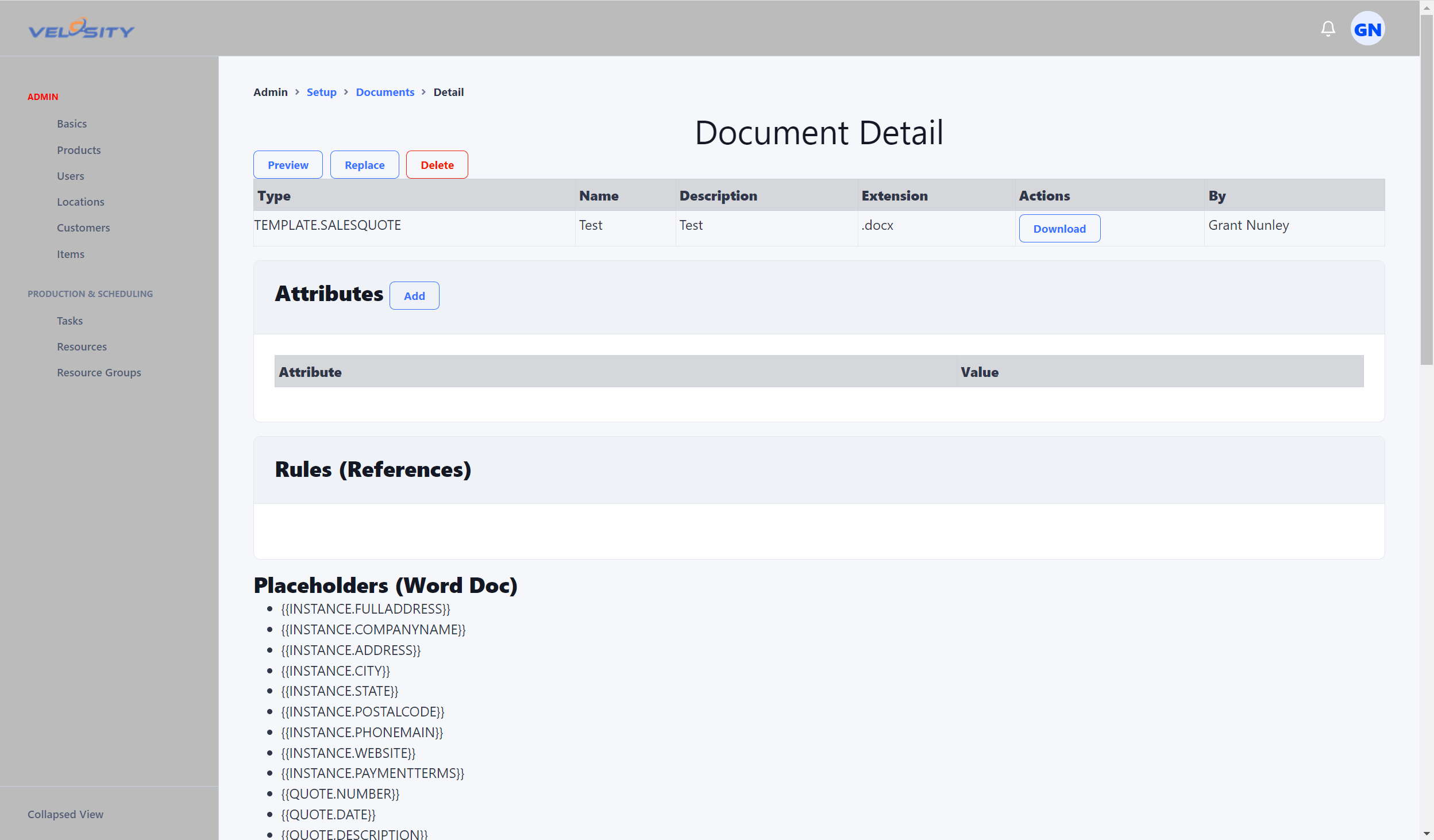
Note: document templates are different from Documents that are attached to an entity (Sales Quote, Sales Order, Production Order, Service Trouble Report). Documents attached to these entities are added (uploaded) by users.
How to Retrieve a PDF using the API
To retrieve a PDF using the API the DocumentID (Template) must be passed in as a parameter. Velosity converts the Word (.docx) template to PDF on-the-fly, replacing all placeholders and bookmarks with current data.
Endpoints
- Sales Quote:
GET /salesquotes/{salesquoteid}/pdf?DocumentID={DocumentID} - Sales Order:
GET /salesorders/{salesorderid}/pdf?DocumentID={DocumentID} - Production Order:
GET /prodorders/{productionorderid}/pdf?DocumentID={DocumentID} - Trouble Report:
GET /service/troublereports/{reportid}/pdf?DocumentID={DocumentID}
Parameters
| Parameter | Type | Description |
|---|---|---|
DocumentID |
string | The ID of the Word template to use for generation. These are managed in Administration > Document Templates. |
Response
The response is a binary stream of the generated PDF file with Content-Type: application/pdf. The Content-Disposition header includes a filename using the following convention:
- Sales Quote: Quote_{SQ.NUMBER}.pdf
- Sales Order: Order_{SO.NUMBER}.pdf
- Production Order: ProdOrder_{PR.NUMBER}.pdf
- Trouble Report: TroubleReport_{TR.NUMBER}.pdf