Sales Quote Payments and Checkout
When Payment Required is enabled, an accepted Sales Quote is the place where payment is collected and tracked. The payment does not move to the Sales Order as a separate workflow: the quote remains the source of truth for the selected method, payment status, and Purchase Order document.
Before checkout
An administrator must configure the checkout methods in Setup > Settings:
- Enable Payment Required to require payment for Sales Quotes.
- Enable one or both checkout methods: Purchase Order and Credit Card.
- For card payment, select an active Helcim integration as the payment processor. If Helcim is not configured, card payment is unavailable.
- Optionally enable public checkout and require a signature for customer-facing checkout.
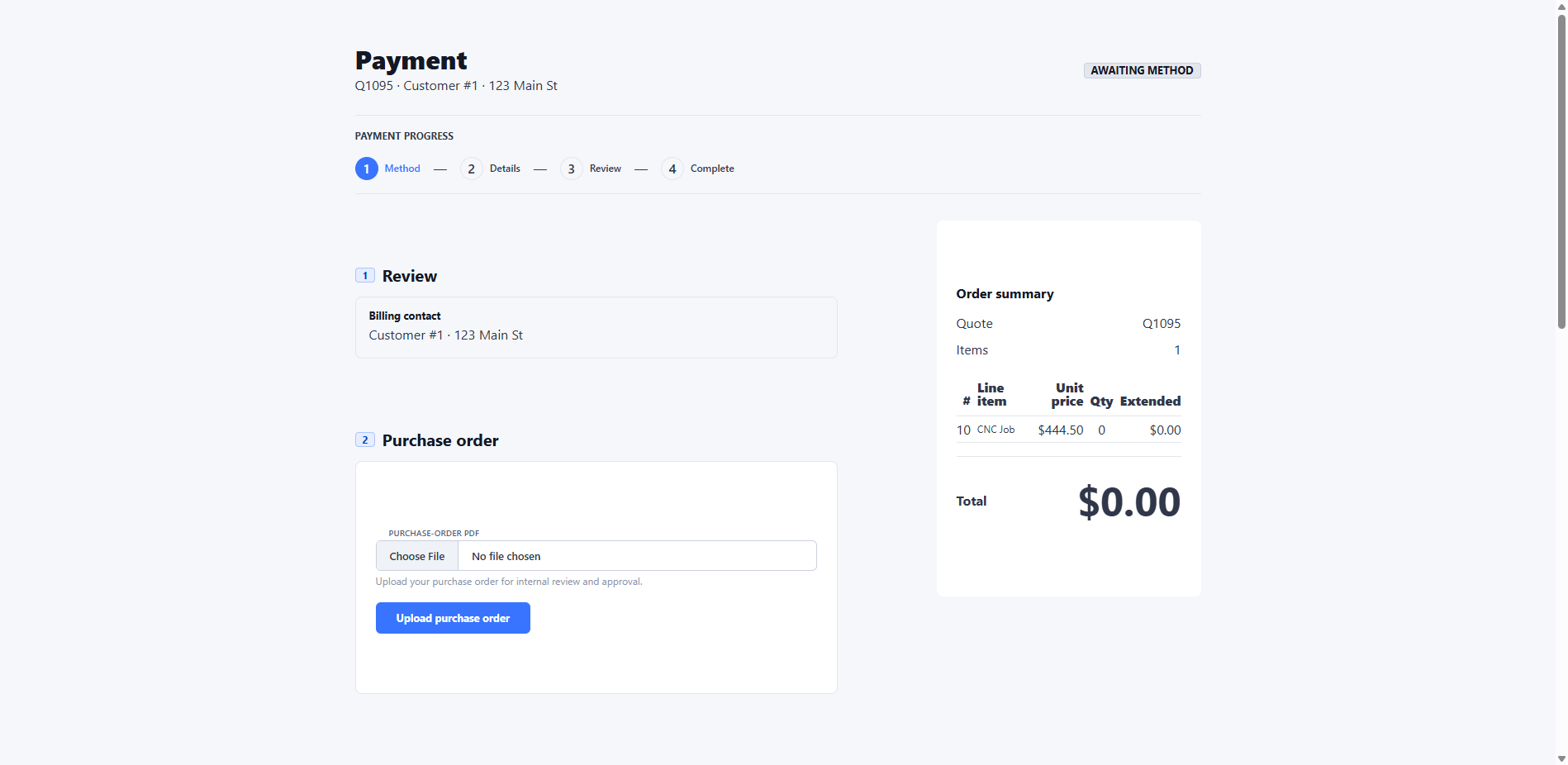
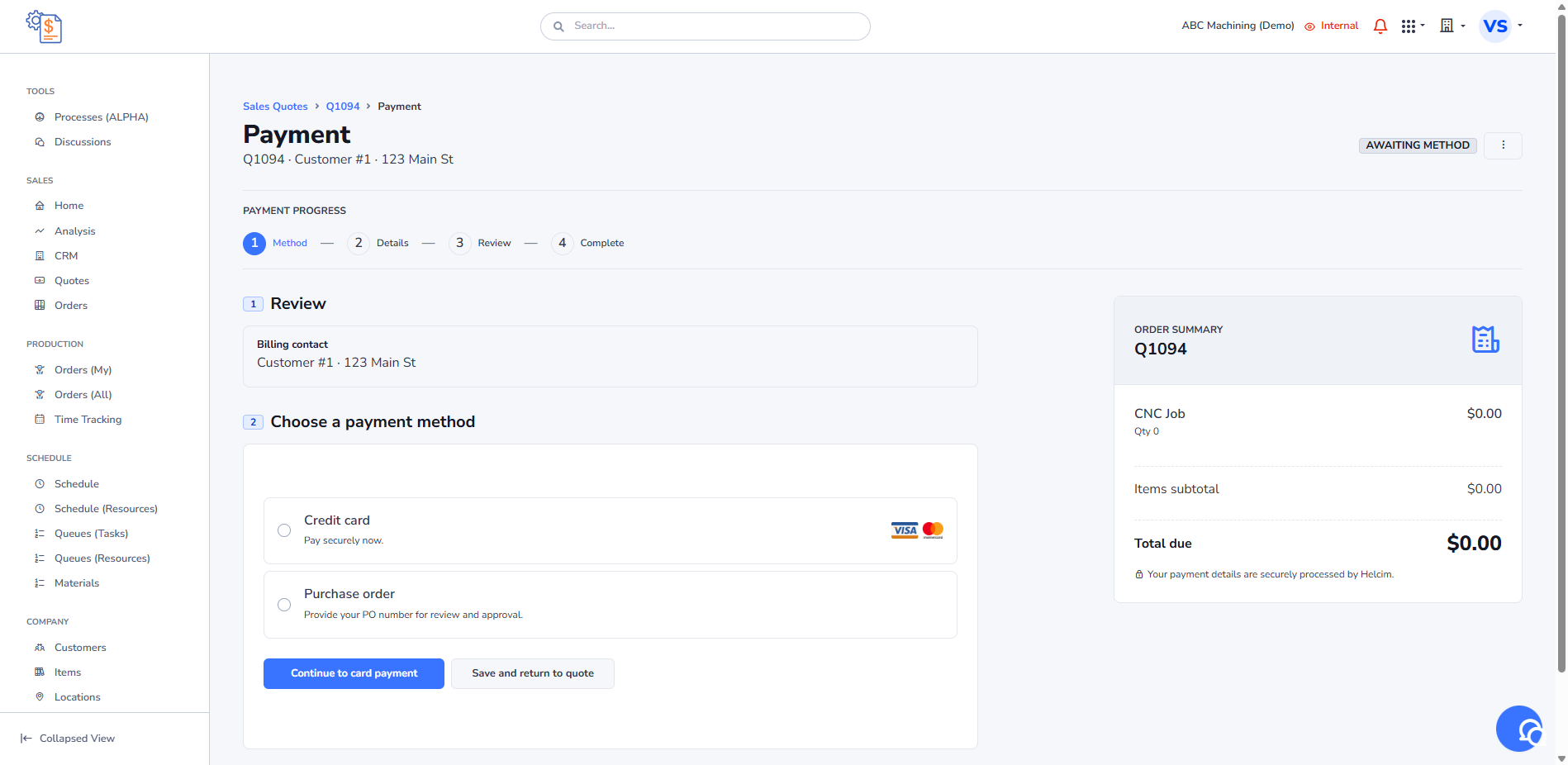
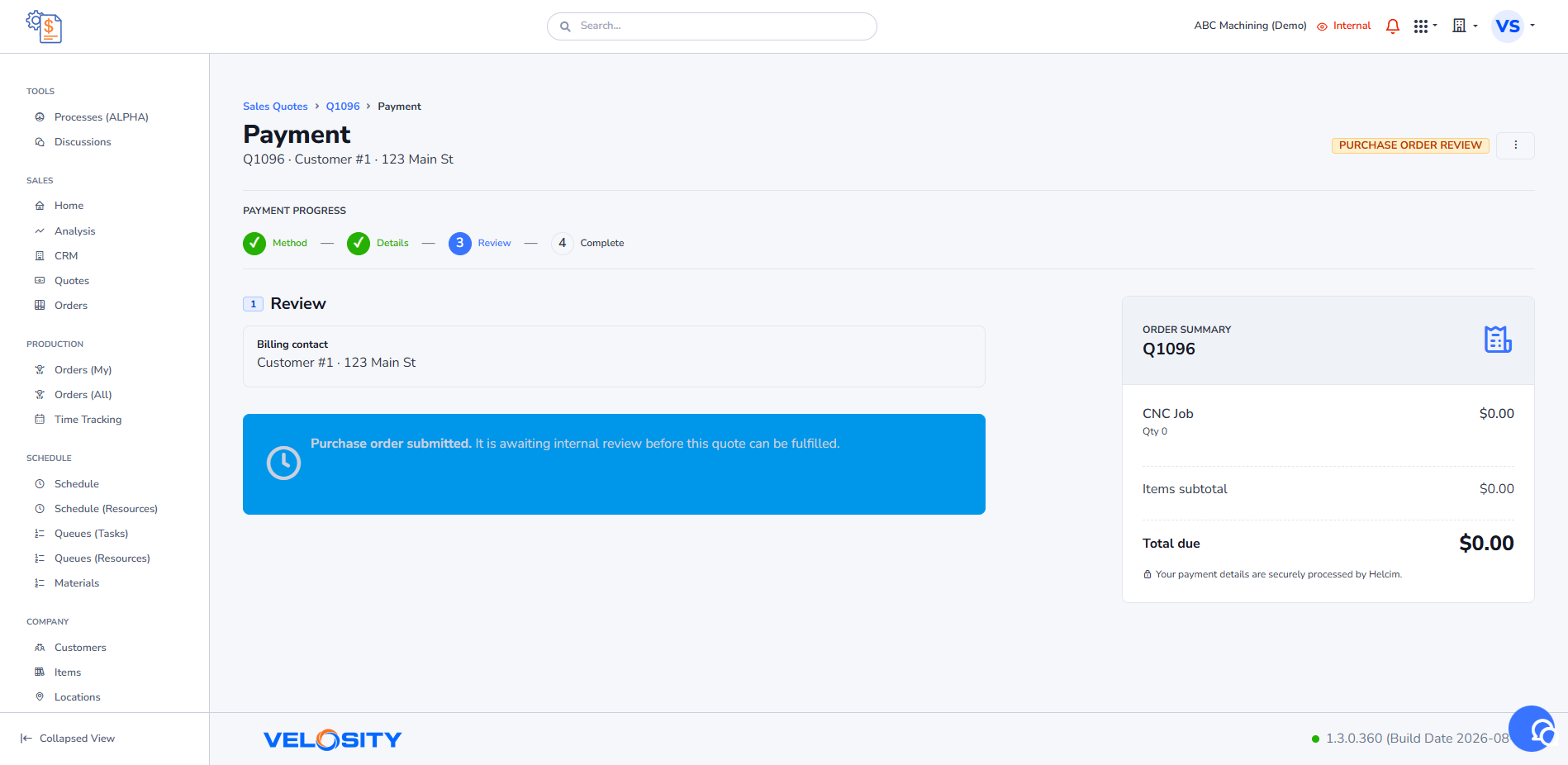
Checkout is available only after the Sales Quote is ACCEPTED. The payment page shows the total due, billing information, the selected payment status, and a four-step progress indicator: method, details, review, and complete.
Internal checkout
Open Payment from the accepted quote, then choose an enabled payment method.
Credit card
- Select Credit Card.
- Enter the card details in the Helcim secure fields and submit the payment.
- Velosity sends the token to the payment processor and shows the payment as awaiting confirmation.
- When the processor confirms payment, the quote is Paid and the fulfillment Sales Order can be created.
Velosity does not store card numbers or CVV values. See Credit Card Processing.
Purchase Order
- Select Purchase Order and upload the customer's PO as a PDF.
- On the Purchase Order Review page, enter the PO number and select Submit for Review.
- An internal reviewer can inspect the PDF, then approve or reject it.
- Approval marks the quote payment as Paid and creates the fulfillment Sales Order if it does not already exist. Rejection returns the quote to a state where the customer can submit a replacement PO.
After approval, the paid quote includes Show Purchase Order for viewing the submitted PDF. The PO number and document stay on the Sales Quote.
Public checkout
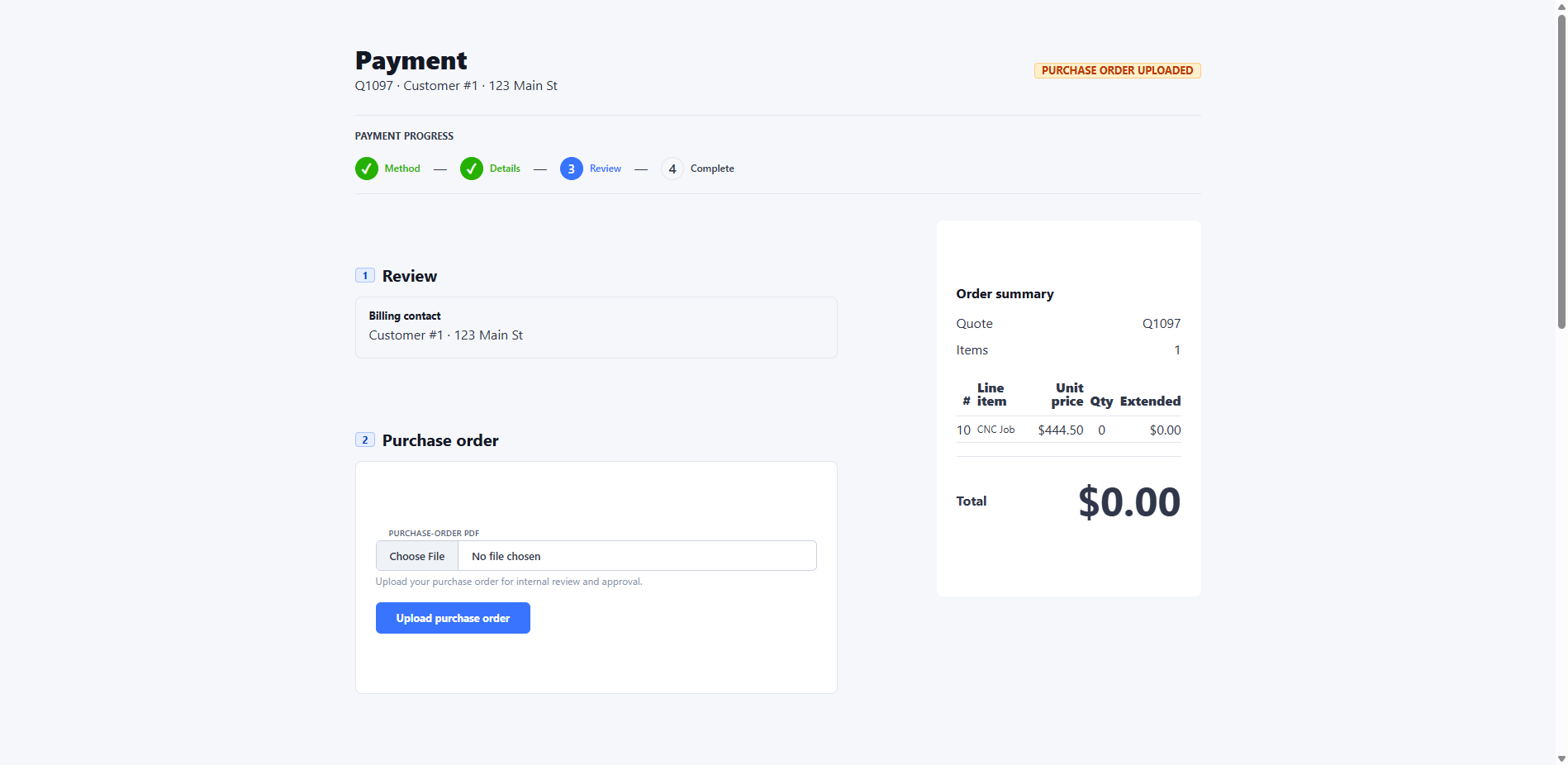
When public checkout is enabled, customers can use the secure checkout link for an eligible quote. The public page shows the quote, the order total, the quote PDF, and the same payment progress. It currently lets customers upload a Purchase Order PDF; the internal team then completes the PO-number confirmation and approval steps above.
After the customer uploads the PO, the public page shows the submitted state while the internal team reviews it.
Payment statuses
The payment lifecycle is validated by the API. Common statuses are:
- Awaiting Method: no payment method has been selected.
-
Awaiting Payment: a method is selected and payment details are still needed.
-
Processing: card payment has been submitted and is awaiting processor confirmation.
-
Purchase Order Uploaded: a PO PDF was uploaded and needs its PO number confirmed.
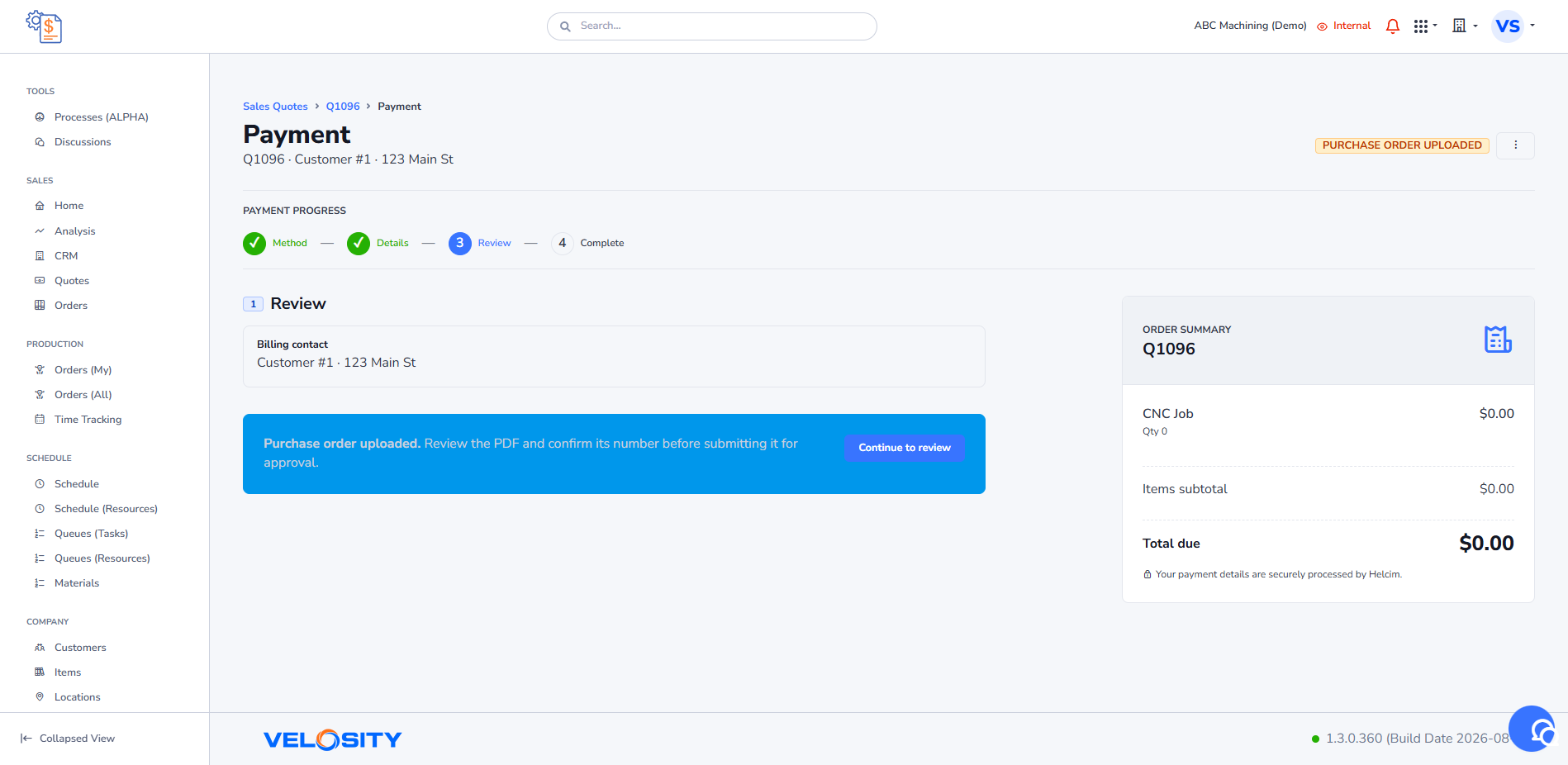
- Purchase Order Review: the PO is submitted for internal review.
-
Paid: payment is complete or the PO is approved.
-
Failed: a card payment did not complete; the customer can try again.
Support users can view the API-controlled payment-flow diagram from the Payment page. Administrators can clear a quote payment state when corrective action is needed.
Resulting Sales Order
For a quote-originated order, payment is always referenced from the linked Sales Quote. The Sales Order does not accept its own card or PO payment details. A linked order cannot be completed while the quote payment is not Paid; Velosity directs the user to the quote payment page instead.
See Sales Order Purchase Orders and Convert a Sales Quote to a Sales Order.