Notifications
Velosity includes a robust notification system that keeps you informed about critical updates to quotes, orders, and tasks without requiring you to constantly refresh the page.
Notification Delivery Channels
You can receive notifications through two primary channels: - Web Interface: A red notification bell appears at the top right of your screen. Clicking it opens a list of your recent alerts. - Email: Summary or real-time alerts sent directly to your inbox, allowing you to stay informed even when you are not logged into Velosity.
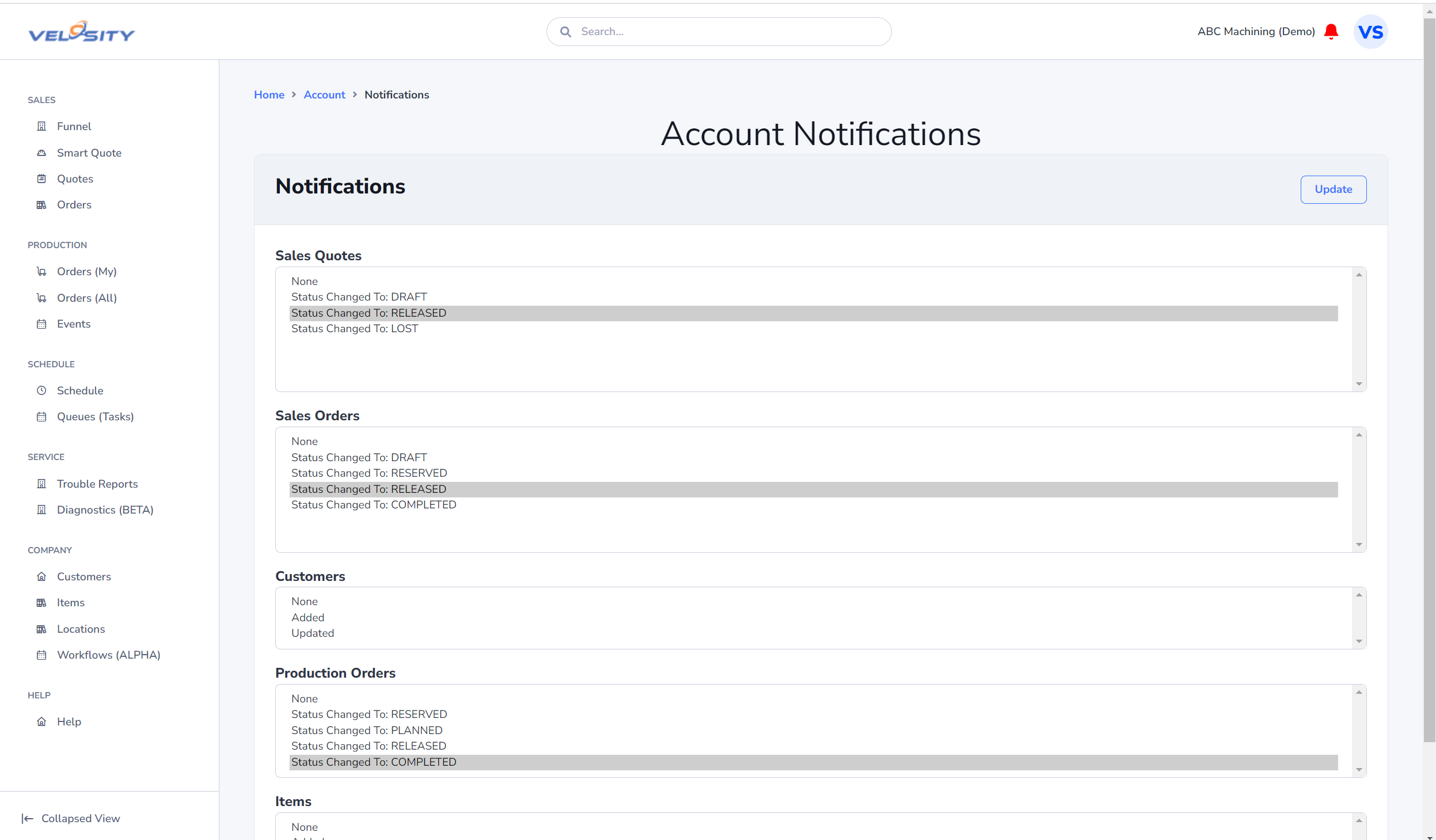
Common Notification Triggers
You can subscribe to events that are most relevant to your role. Common triggers include:
Sales & Quoting
- Quote Assigned: Receive an alert when a Sales Quote is assigned to you by a lead or manager.
- Quote Accepted: Be notified the moment a customer approves a quote, so you can begin the conversion to a Sales Order.
- Price Approval Needed: For managers, get notified when a quote requires a manual price override approval.
Production & Shop Floor
- New Task Available: Technicians receive alerts when a preceding task is completed and a new job is ready for their work center.
- Production Delay: Planners are notified when an Event is logged that might impact the delivery schedule.
- Task Completed: Project managers can track the real-time progress of complex orders.
Managing Your Preferences
To customize which alerts you receive: 1. Navigate to your Account Profile. 2. Select the Notifications tab. 3. Toggle the switches for the specific entities (Quotes, Orders, Tasks) and delivery methods you prefer. 4. Click Save to apply your changes.