Iterative Quoting: Reconfiguring Line Items
Customer requirements often evolve during the sales process. Velosity's Reconfigure feature allows you to adjust existing Smart Quote line items without having to delete them and start from scratch. This ensures that your history is preserved and that pricing remains accurate to the latest requirements.
When to Use Reconfigure
Reconfiguration is ideal for several common scenarios: - Customer Changes: The customer requests a different material, size, or feature after seeing the initial quote. - Error Correction: A data entry error was made during the initial configuration. - Logic Updates: An ADMIN has updated the Smart Quote Rules, and you want the existing quote to reflect the new labor or material calculations.
Reconfiguration Constraints
To maintain data integrity, the system allows reconfiguration only under certain conditions: - Quote Status: The Sales Quote must be in DRAFT status. - Order Status: If the quote has already been converted to an order, the associated Production Order must not yet be marked as COMPLETED.
The Reconfiguration Process
1. Initiate Reconfigure
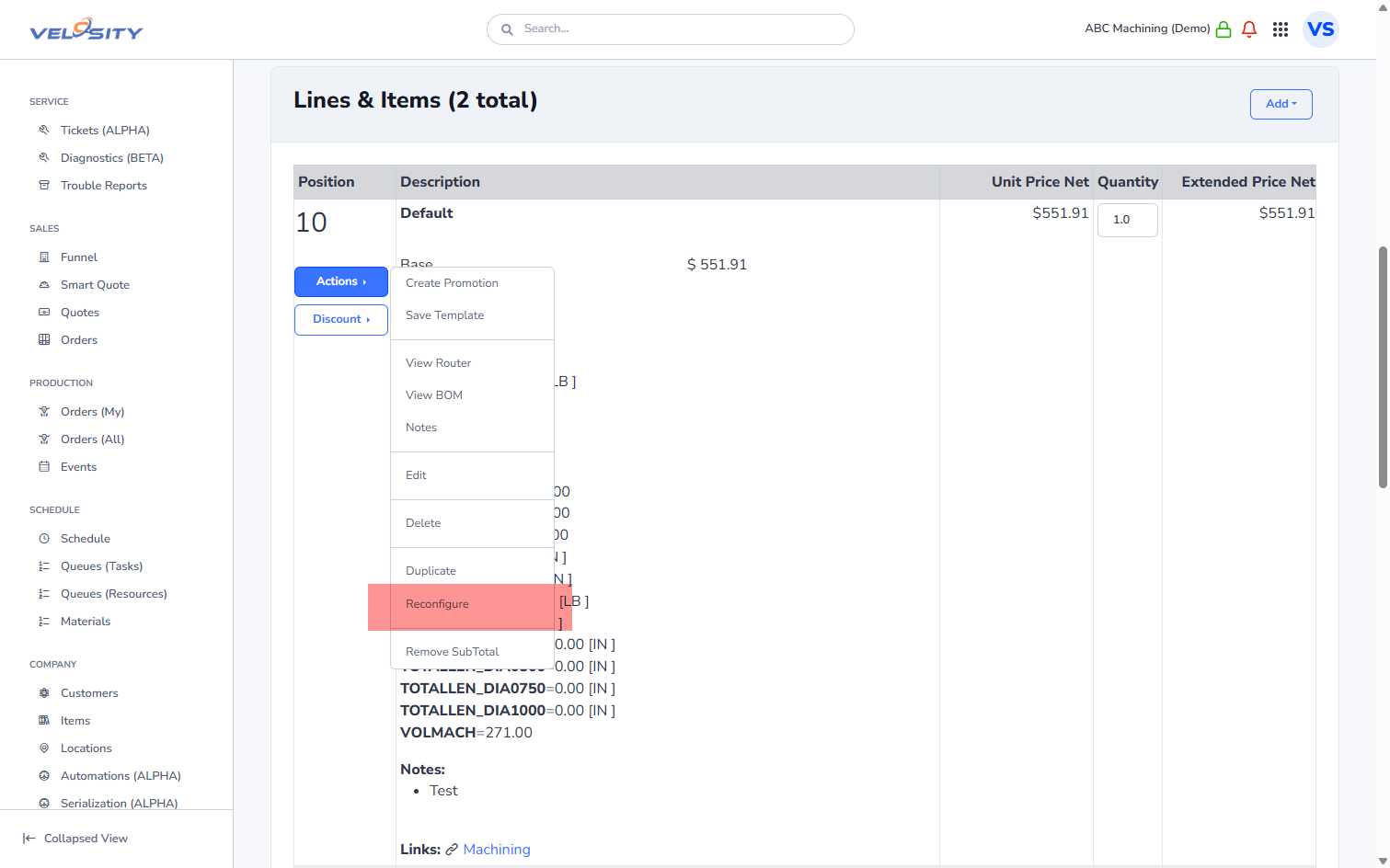
From the Sales Quote or Sales Order detail view, locate the line item and click the Reconfigure (pencil/gear) icon.
2. Update the Configuration
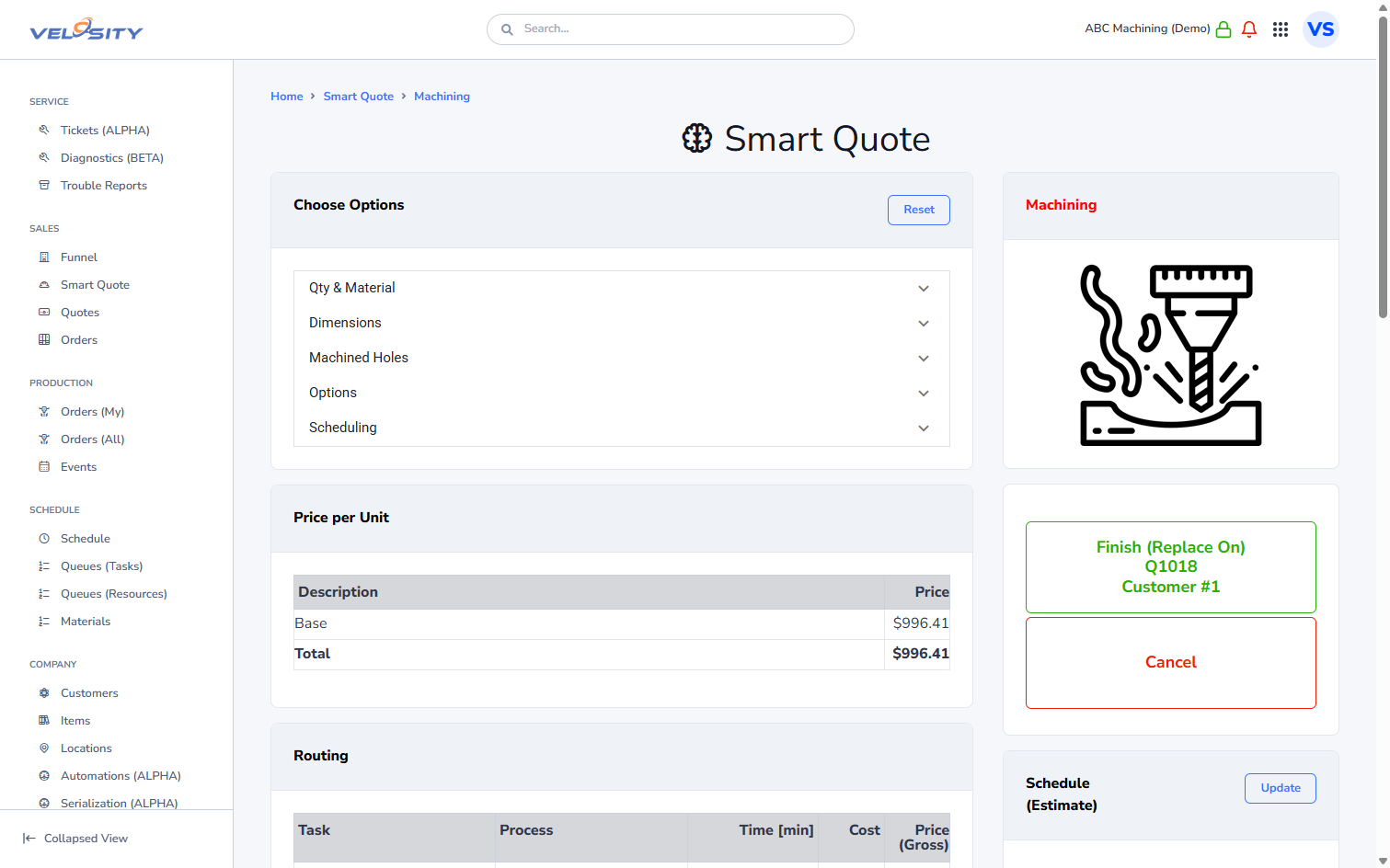
The system will open the original Smart Quote configuration screen, with all your previous selections pre-filled. You can then make the necessary adjustments.
3. Review and Accept Changes
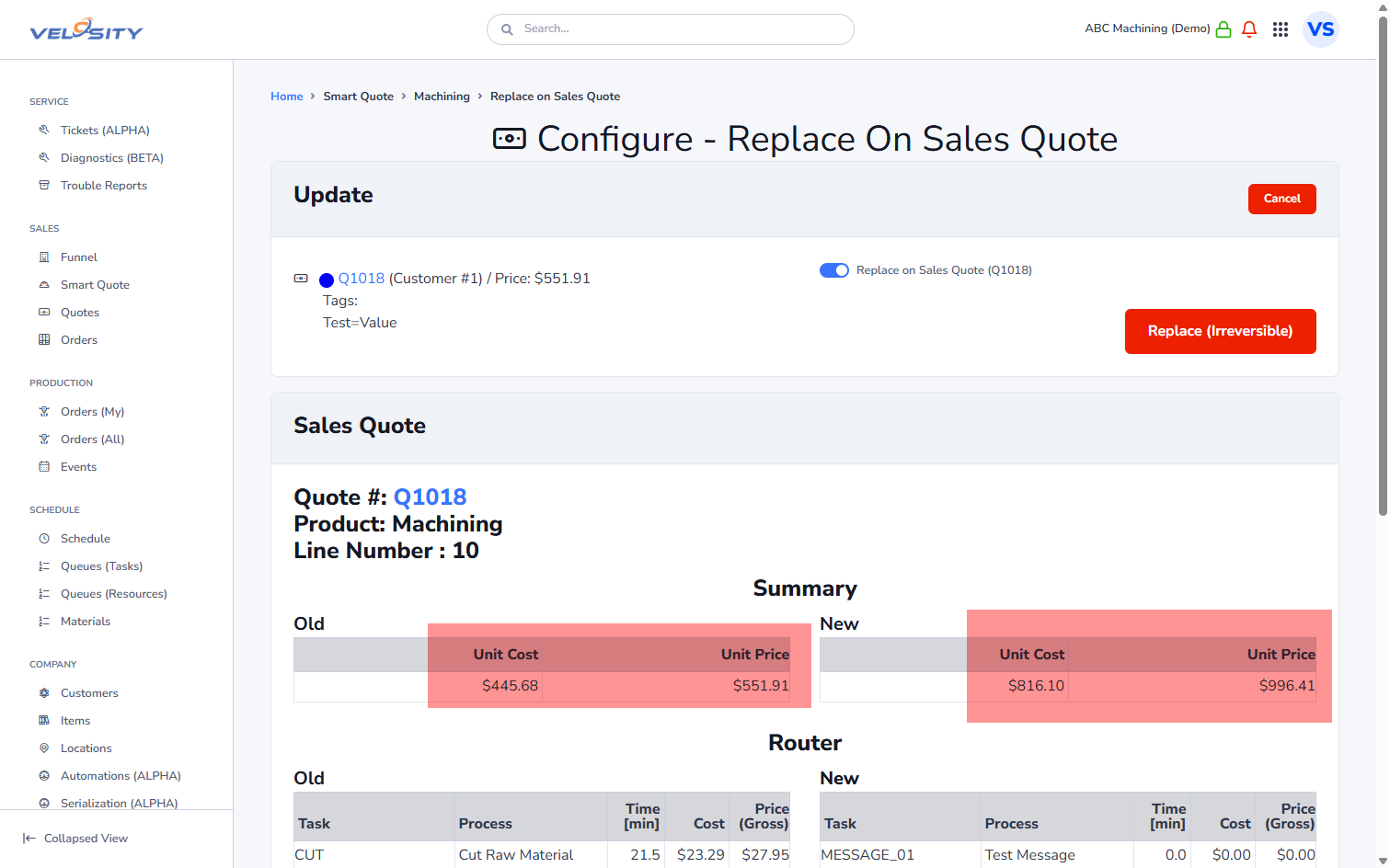
Once you finish the configuration, Velosity will display a comparison of the old vs. new values, including changes to the total price, the Labor Router, and the Bill of Materials (BOM).
4. Apply Updates
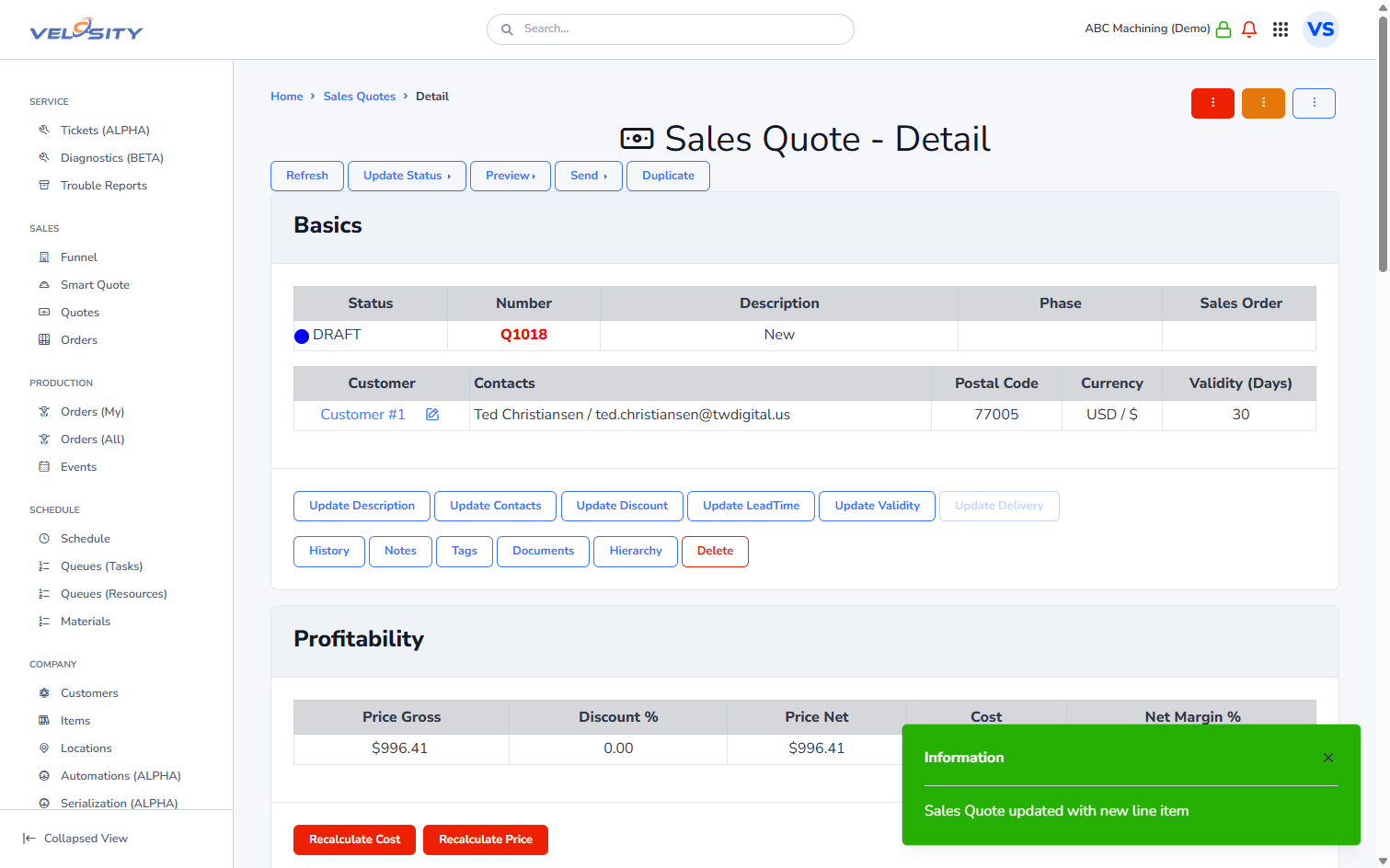
Upon acceptance, the system automatically updates the line item in your quote or order. If a Production Order already exists, its router and BOM are instantly updated to reflect the new configuration.
Strategic Impact of Reconfiguration
Reconfiguring a line item instead of replacing it ensures that: - Traceability: The relationship between the customer's request and the final build is maintained. - Speed: You save significant time by only changing what is necessary. - Accuracy: The Master Schedule is automatically updated if the labor time for the new configuration differs from the original.