Inventory Management
Inventory in Velosity is an optional but powerful module that bridges the gap between material availability and production scheduling. While many systems treat inventory as a simple stock-counting tool, Velosity uses inventory data to drive accurate lead time predictions and material planning.
Strategic Value of Inventory
The primary advantage of enabling Inventory is its integration with the Smart Quote engine and the Master Schedule.
Material-Driven Lead Times
When Inventory is enabled, Smart Quote doesn't just look at how long it takes to build a product; it also checks the availability of required materials. If a critical component is out of stock, Velosity will automatically calculate the earliest completion date based on the expected lead time for that material.
Real-Time Allocation
As Sales Orders are finalized, Velosity "reserves" the required materials from inventory. This prevents the "double-counting" of stock and ensures that production teams have exactly what they need when a job is released to the floor.
Navigating Inventory
Inventory List
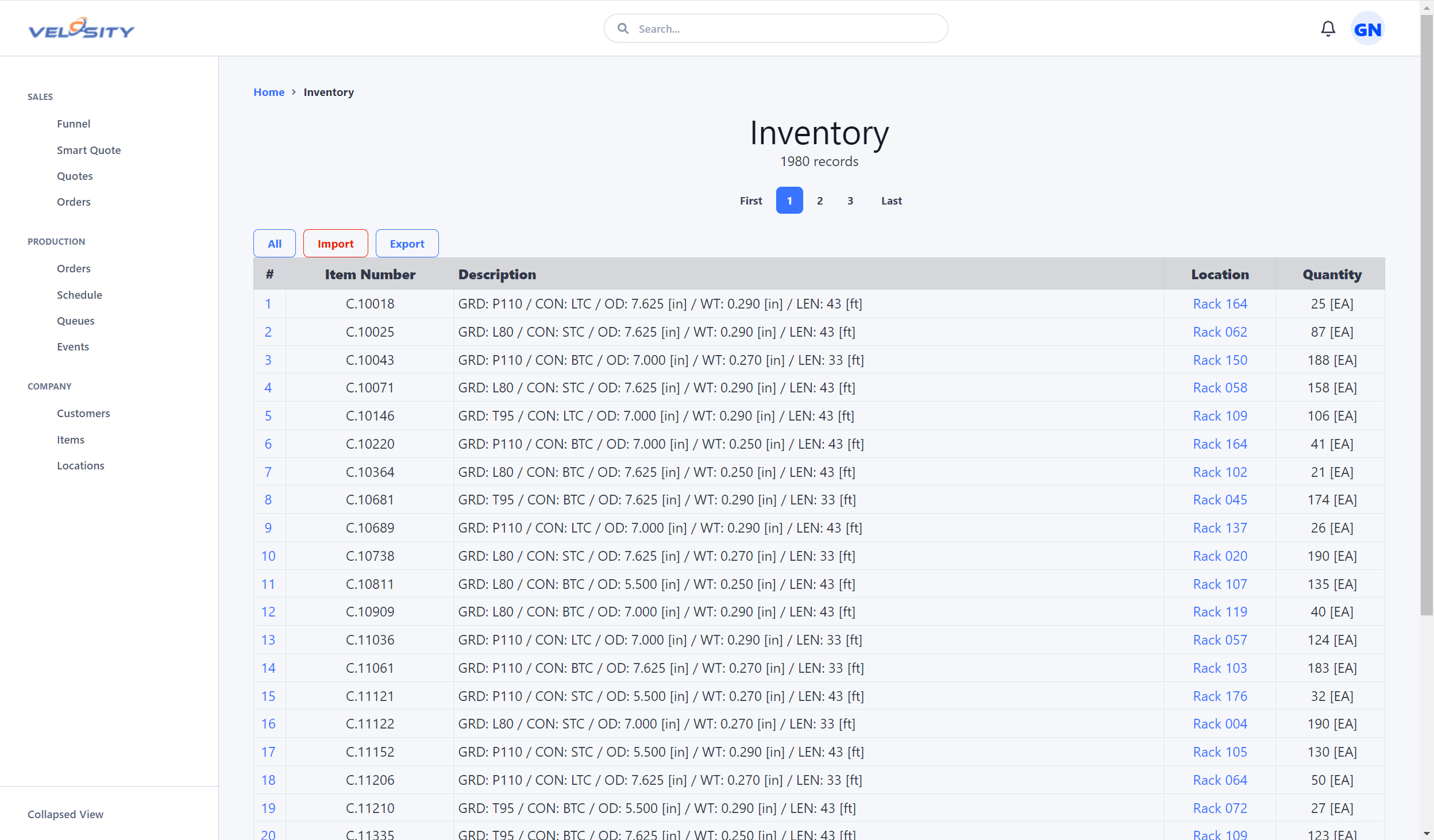
The Inventory List view provides a searchable catalog of all items currently in stock. You can see quantities on hand, quantities allocated to active orders, and "Available to Promise" (ATP) counts.
Inventory Detail
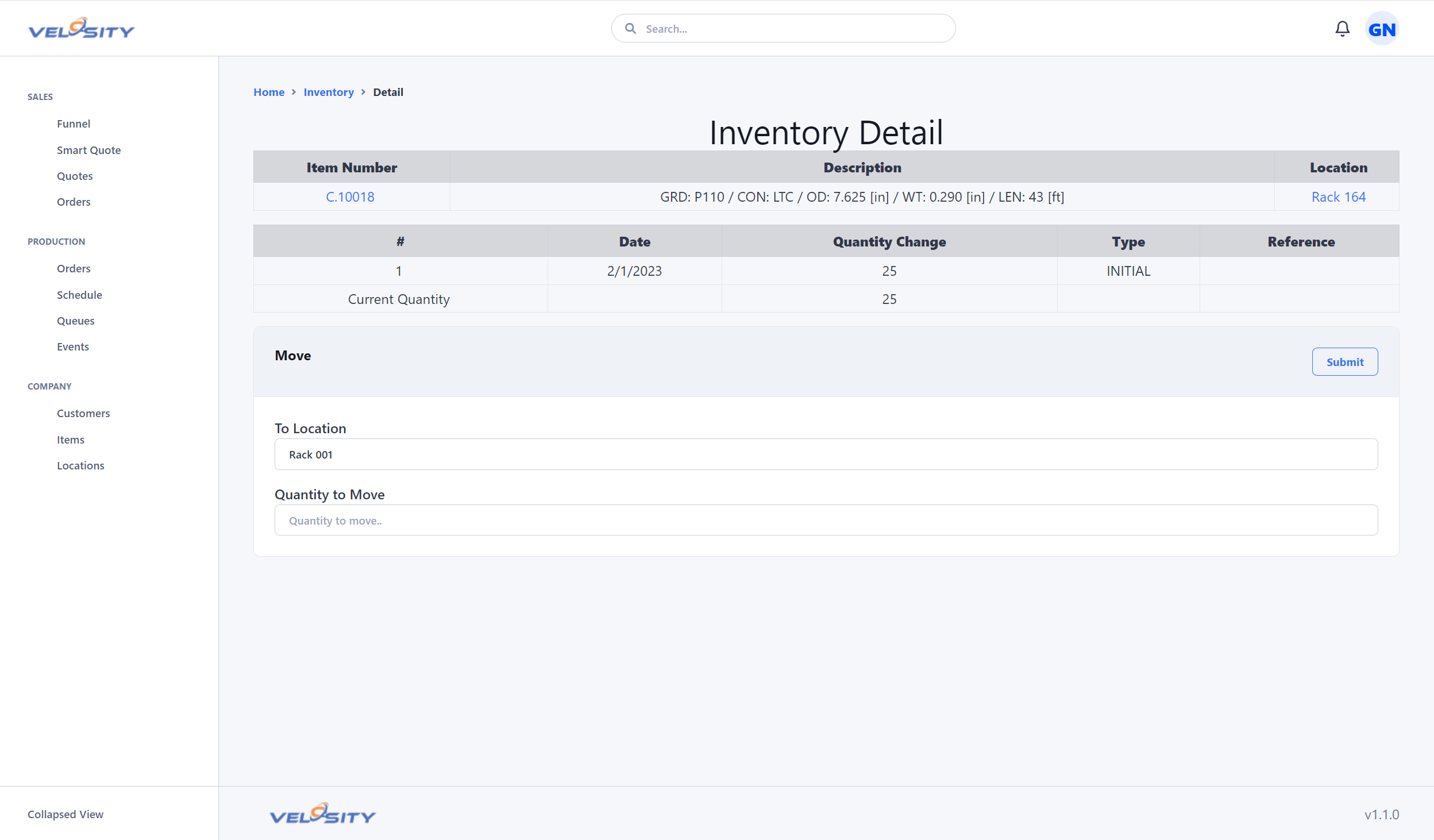
The Detail view provides a deep dive into a specific item's history, including: - Transaction History: A full audit trail of every time the item was received, moved, or consumed. - Locations: A breakdown of where the item is stored across different warehouses or bins. - Serial/Lot Tracking: If enabled, you can see specific Serialized units or batch numbers currently in stock.
Configuration
Inventory is disabled by default to keep the interface clean for organizations that manage materials in an external ERP. An ADMIN can enable it in the Customization Settings. Once enabled, you should define your Inventory Locations and ensure your Item Master data includes accurate reorder points and lead times.