Volume Pricing: Line Item Price Breaks
In many build-to-order scenarios, the cost of production decreases as the quantity increases. Velosity's Price Break feature allows you to offer tiered pricing to your customers based on the volume of their order.
!!! note "Configured vs. SKU Items" This page focuses on volume discounts for Configured (Smart Quote) items, which are managed via Customer Price Breaks. For price breaks on standard SKU items (catalog items), please see the SKU Price Breaks on Quotes guide.
How Price Breaks Work (Configured Items)
Price Breaks are defined as a set of rules: "If the quantity is X, the price per unit is Y." In Velosity, these tiers must first be established at the Customer level before they can be applied to individual quote line items.
1. Defining Tiers on the Customer Record
Before you can apply a discount to a quote, an ADMIN or Sales Manager must define the available tiers for that specific customer. This ensures that sales reps are only offering authorized volume discounts.
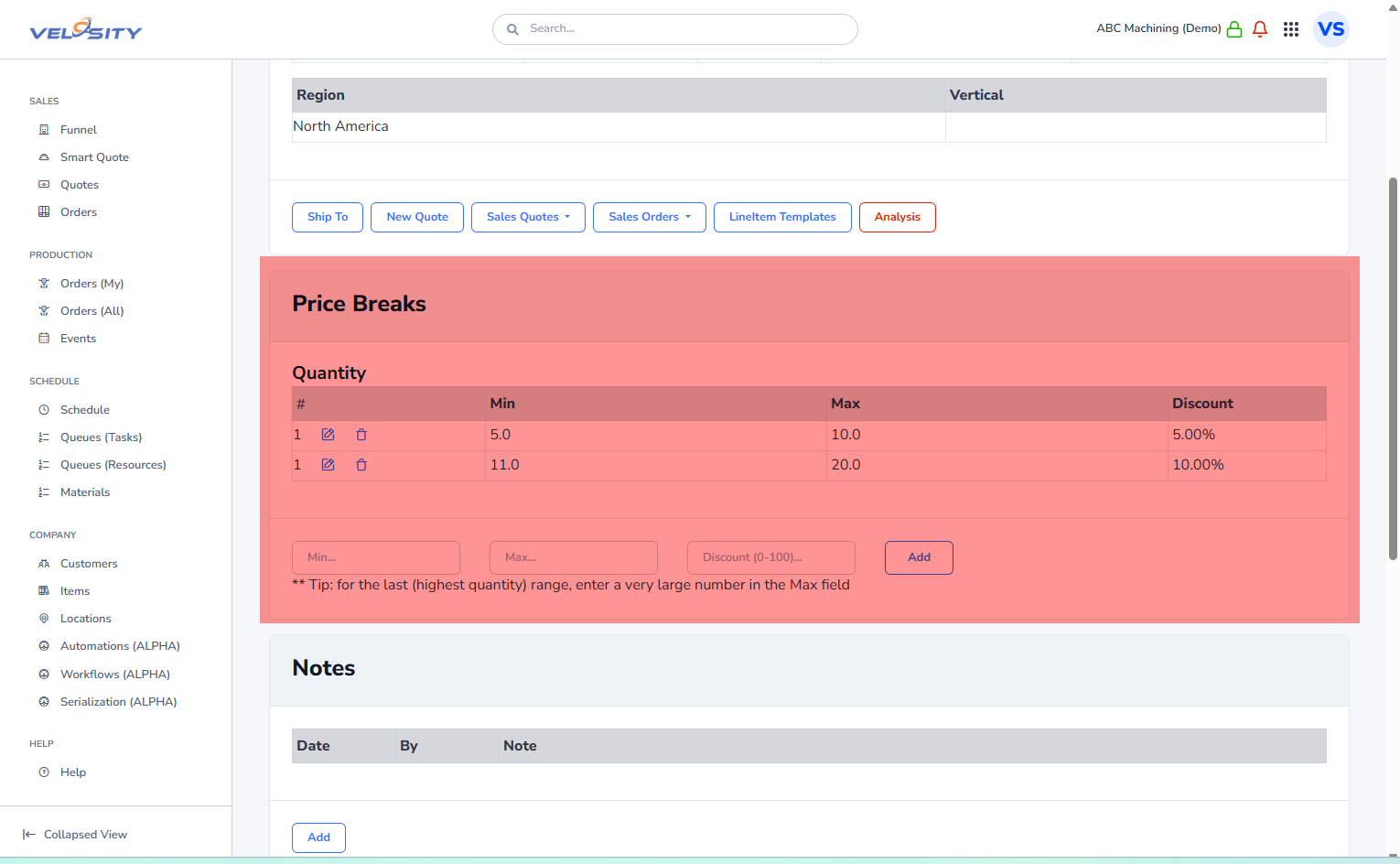
2. Applying Price Breaks to a Quote
Once a configured Smart Quote item has been added to a Sales Quote, you can apply the volume discounts:
- Select the Line Item: Open your Sales Quote and locate the specific line item.
- Open Price Breaks: Click the Price Breaks action button on the line item card.
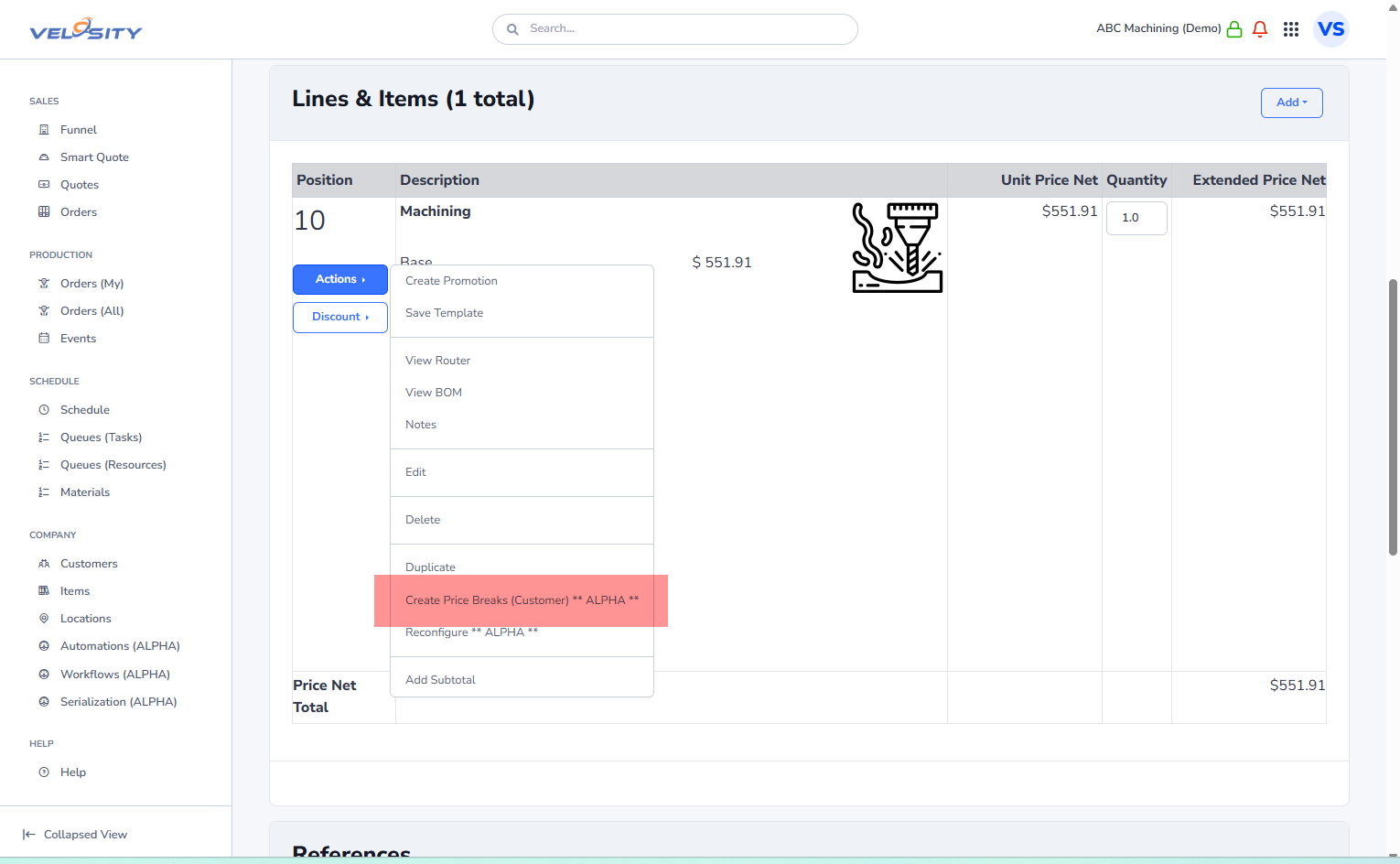
- Review and Create: Velosity will display the available tiers based on that customer's profile. You can select which tiers to include in this specific quote.
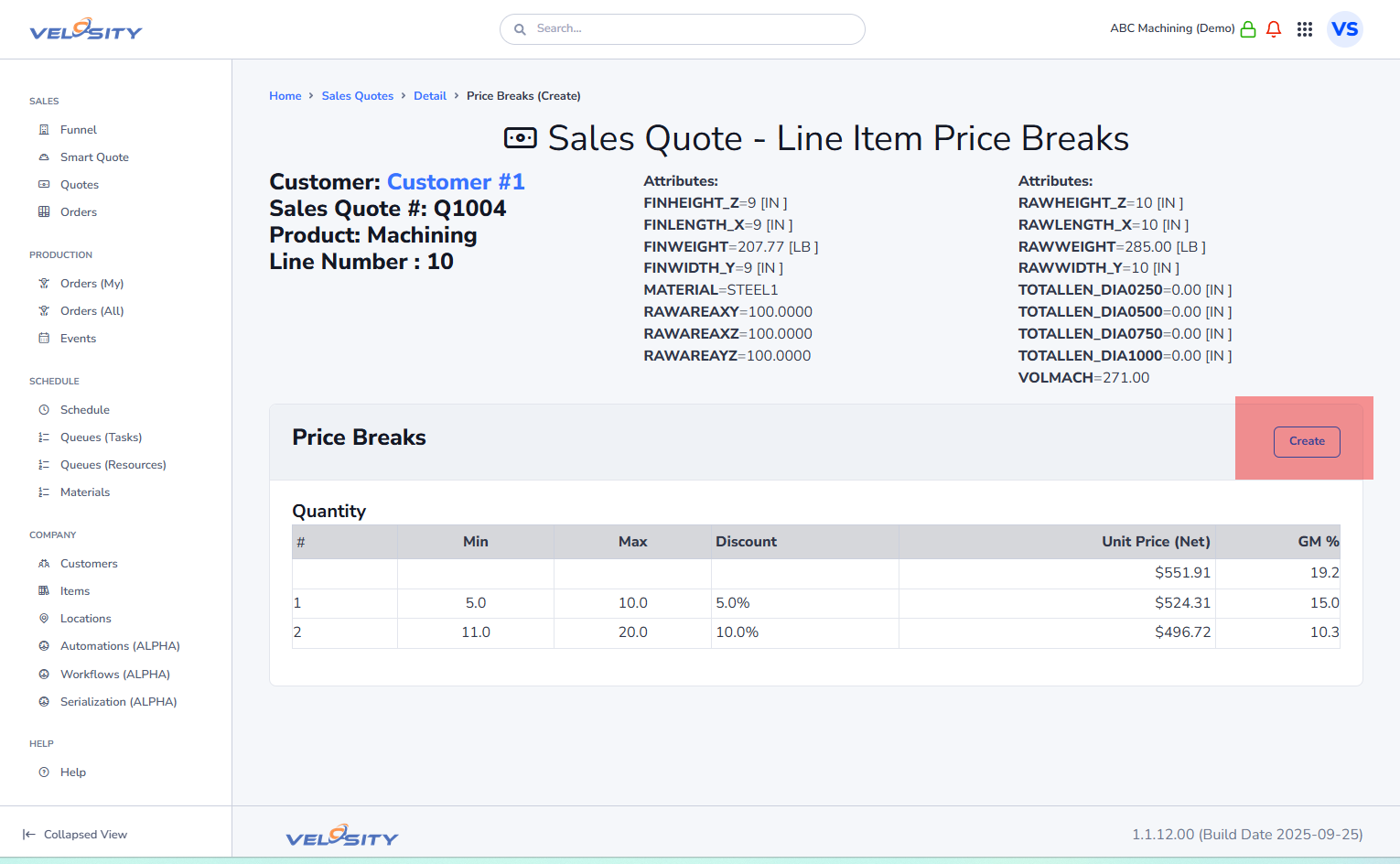
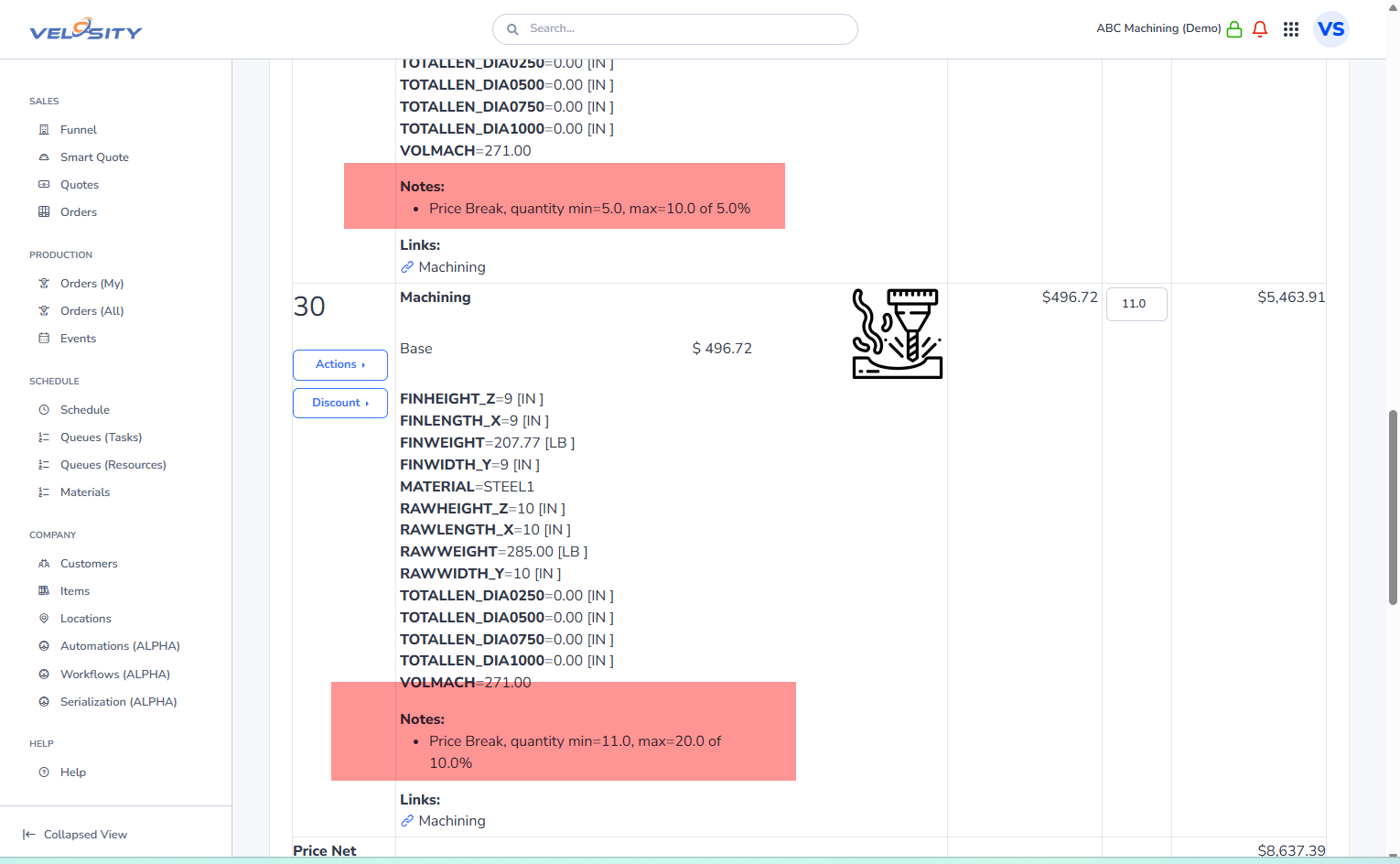
Visual Impact on the Quote
When Price Breaks are applied, they are clearly visible on the Quote PDF. This transparency helps the customer see the value in increasing their order size.
Best Practices for Volume Pricing
- Incentivize Larger Orders: Set your primary tier slightly higher than the typical order size to encourage customers to "buy up."
- Coordinate with Production: Ensure your Resource Groups can handle the increased volume of higher-tier orders before promising short lead times.
- Regular Audits: Review your price break tiers quarterly to ensure they still align with your current material and labor costs.