Production Queues
Production Queues are the primary interface for shop floor workers and department leads. They provide a real-time, filtered view of the production schedule, specifically tailored to the work being performed at a particular work center or by a specific team.
Navigating Queues
Selecting a Workcenter
Before viewing your queue, you must select the appropriate Resource Group (Workcenter). This ensures you only see the tasks that are relevant to your station.
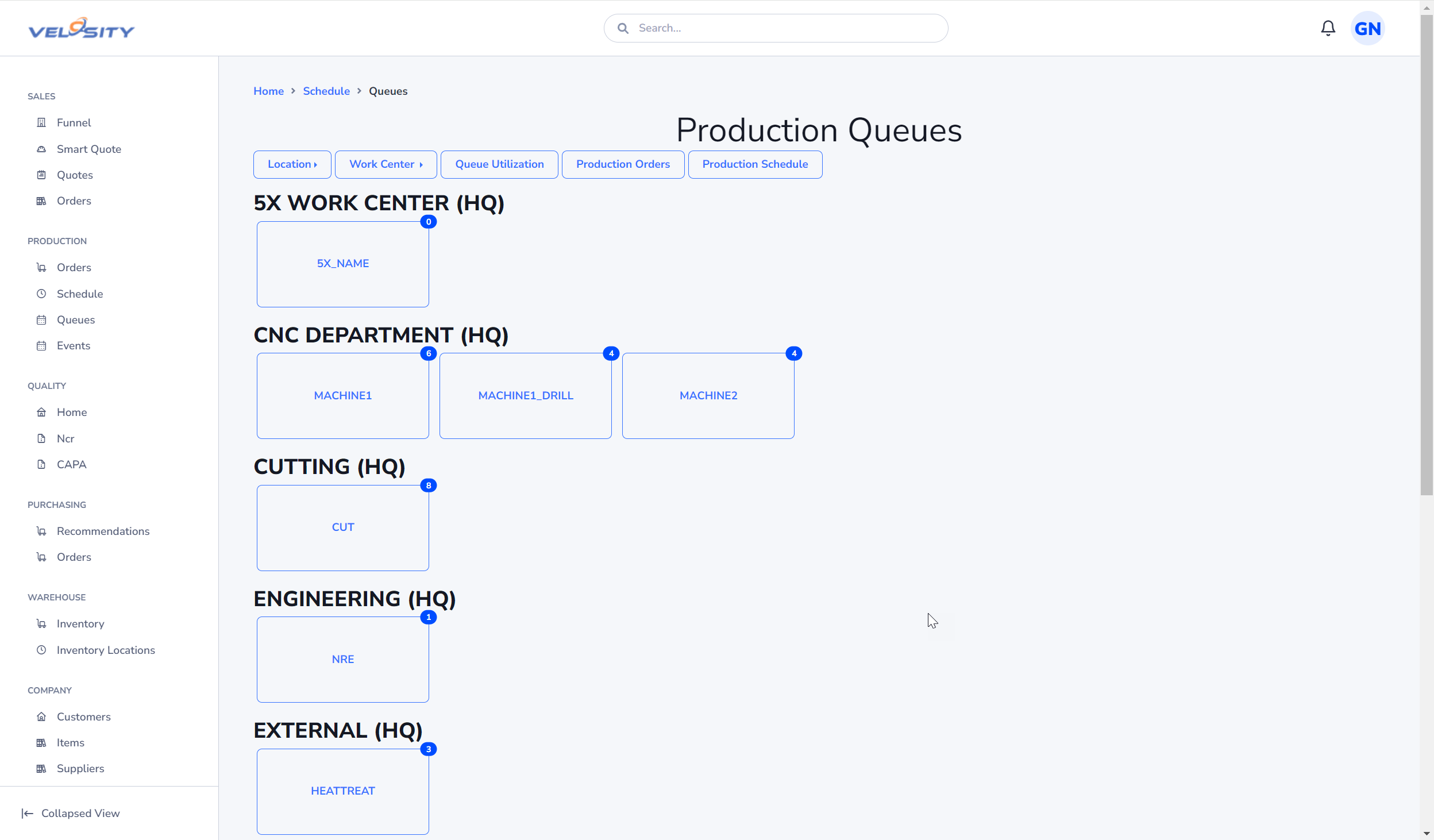
The Queue Dashboard
The Dashboard is where the work happens. It lists all tasks assigned to the selected workcenter, sorted by Priority and Sequence Number.
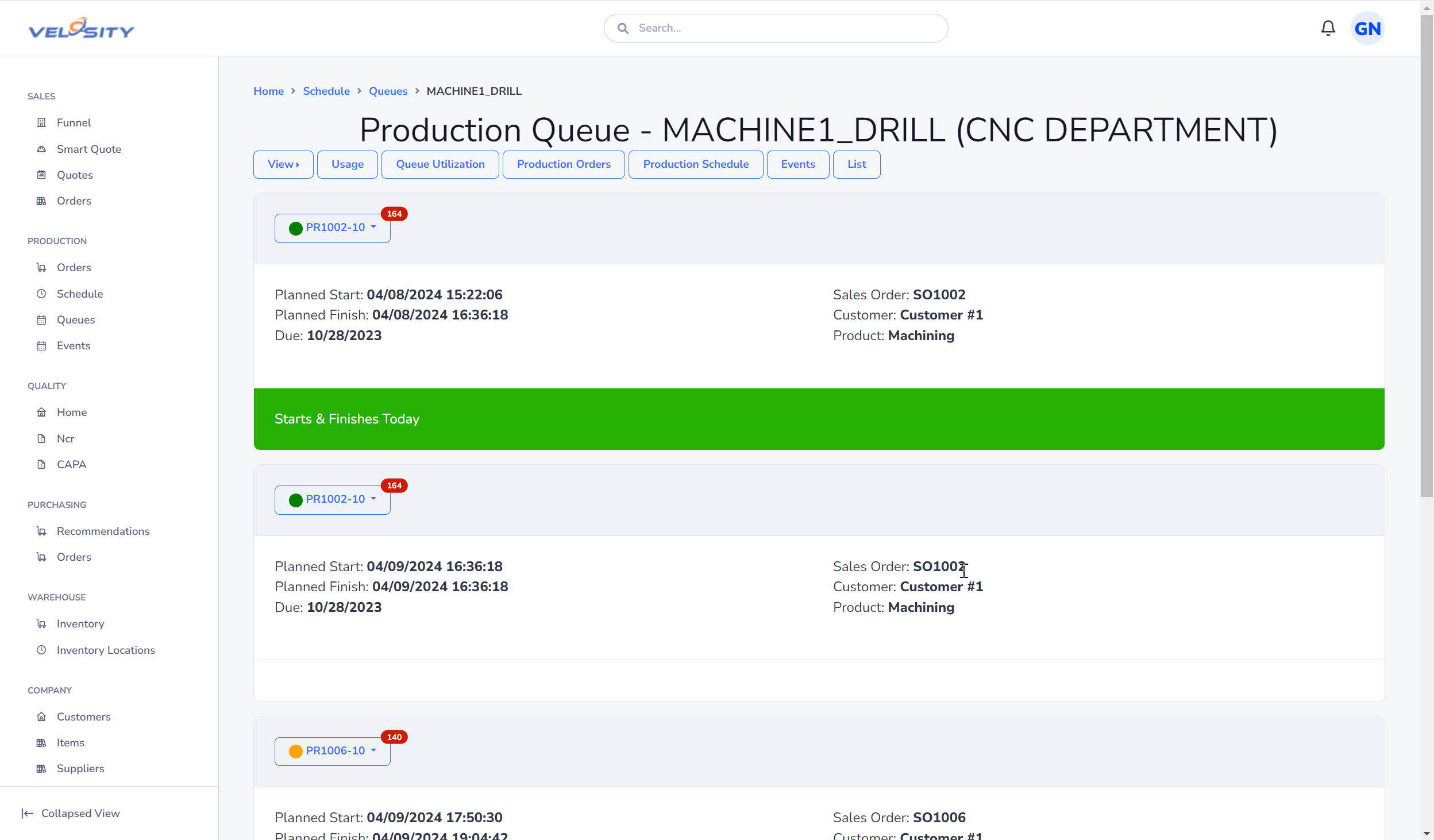
Key information visible on the dashboard includes: - Production Order Number: Click to see the full Production Order Details. - Task Description: Specific instructions for the current operation. - Priority: A calculated value that ensures the most critical jobs are worked on first. - Status: Indicates if the task is Planned, WIP, or Paused.
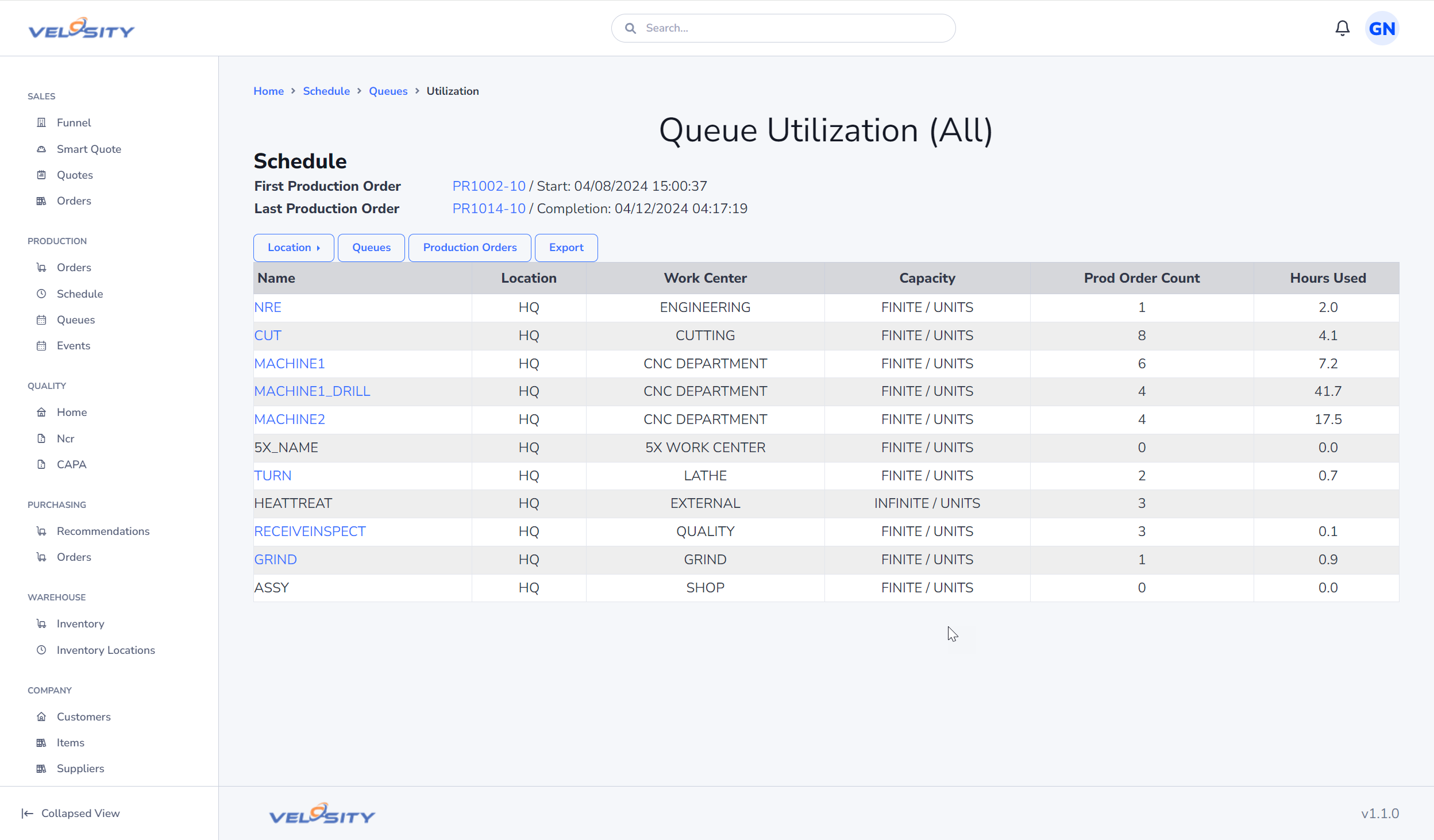
Resource Utilization
The Utilization view provides a visual representation of how busy a specific resource or group is over time. This helps leads identify bottlenecks and reassign resources if one area is overwhelmed while another has idle capacity.
Collaboration with External Vendors
Public Share Links
Velosity allows you to generate a Public Share Link for a specific queue. This is particularly useful for external vendors who provide services like heat treating, plating, or specialized machining.
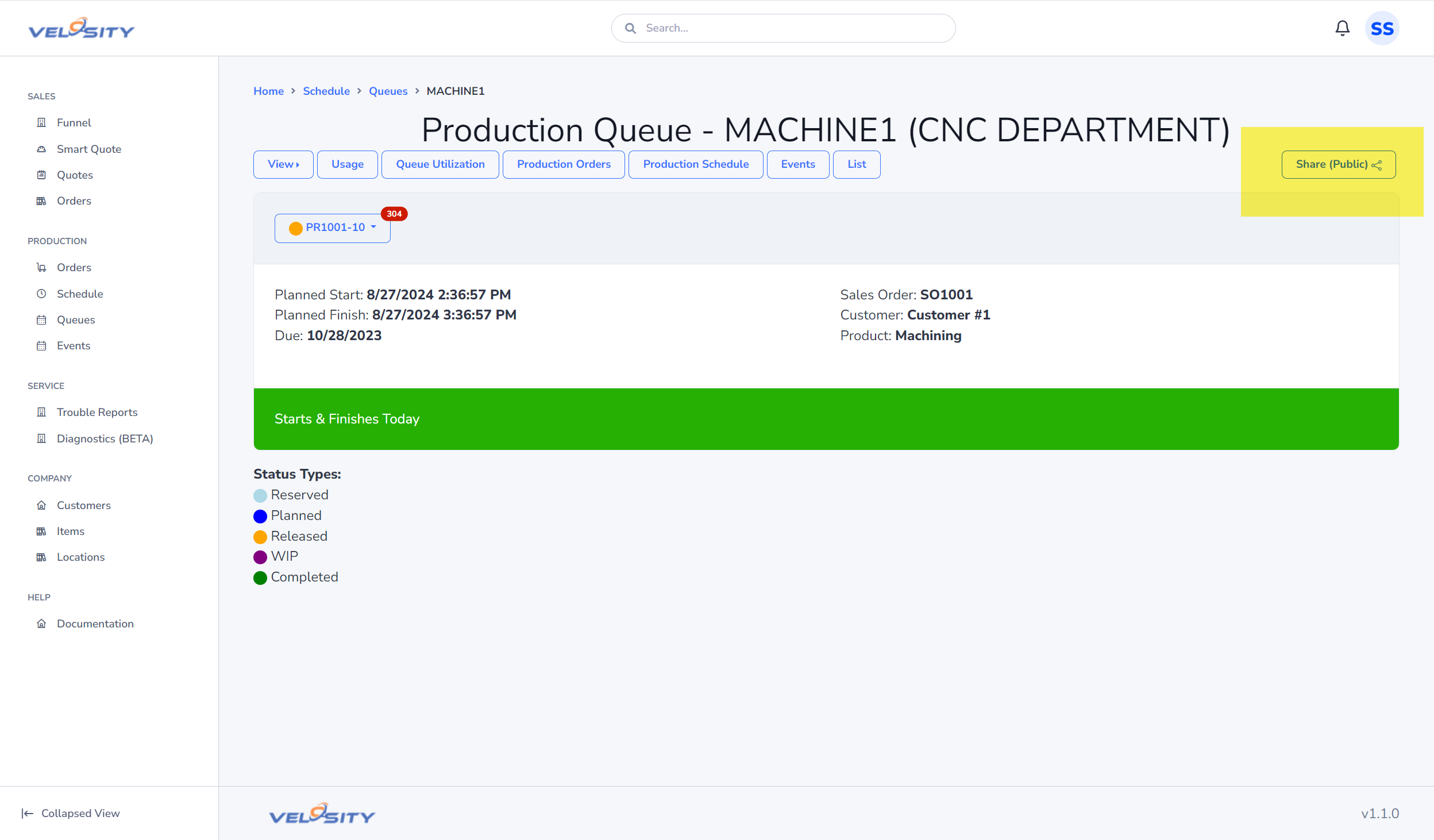
By sharing this read-only link, your vendors can: - See upcoming work before it arrives at their facility. - Plan their own production schedules based on your real-time priorities. - Reduce the need for frequent status update phone calls or emails.
Note: Public links do not require a Velosity login, but they only provide a limited, read-only view of the specific queue you have shared.