Clocking In and Reporting Best Practices
Accurate time tracking is essential for Velosity to calculate real-world costs and improve the accuracy of future quotes. This guide explains how the system tracks your time and how to report issues effectively from the shop floor.
Automatic Clocking: How it Works
Velosity uses "Action-Based Clocking" to reduce administrative overhead for shop floor workers. You don't need to find a separate time-clocking interface; the system automatically logs your activity when you interact with a Production Order Task.
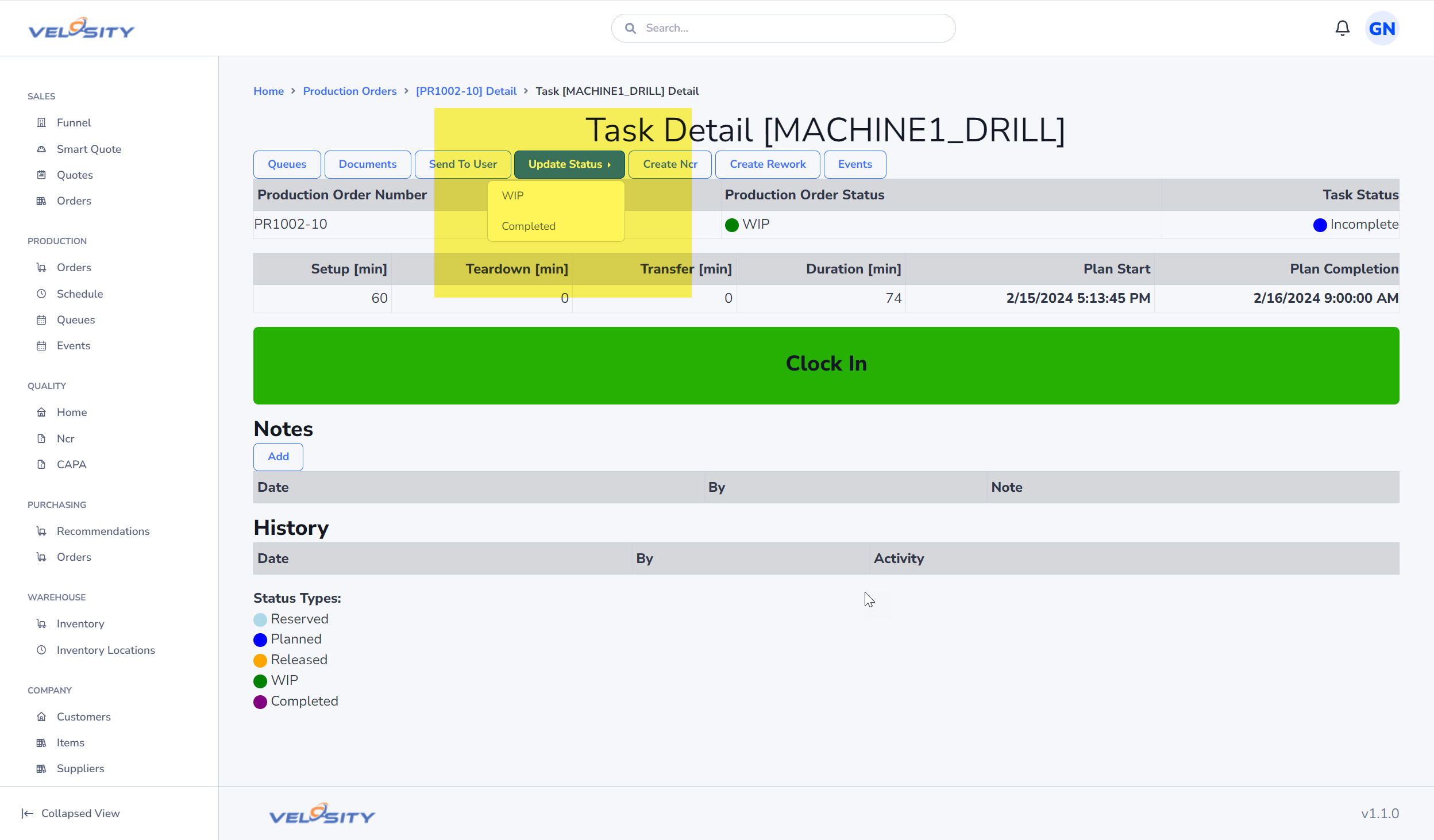
Actions that Trigger a Clock-In:
- Task Interaction: Opening the Task Detail view.
- Reviewing Specs: Opening or viewing a Document (blueprint, PDF, image) attached to the task.
- Collaborating: Adding a Note or sending the task to another user.
- Updating Progress: Changing the Status (e.g., from Planned to WIP).
Automatic Clock-Out:
A user (typically with a SHOP or TECH role) can be clocked into only one Production Order at a time. When you perform an action on a different Production Order, Velosity automatically clocks you out of the previous one and into the new one.
Reporting Issues from the Floor
When production doesn't go according to plan, capturing the reason is vital for continuous improvement.
- Be Specific with Notes: Use the Notes feature to describe roadblocks. Instead of "Problem," write "Drill bit snapped on step 3 - replacing now."
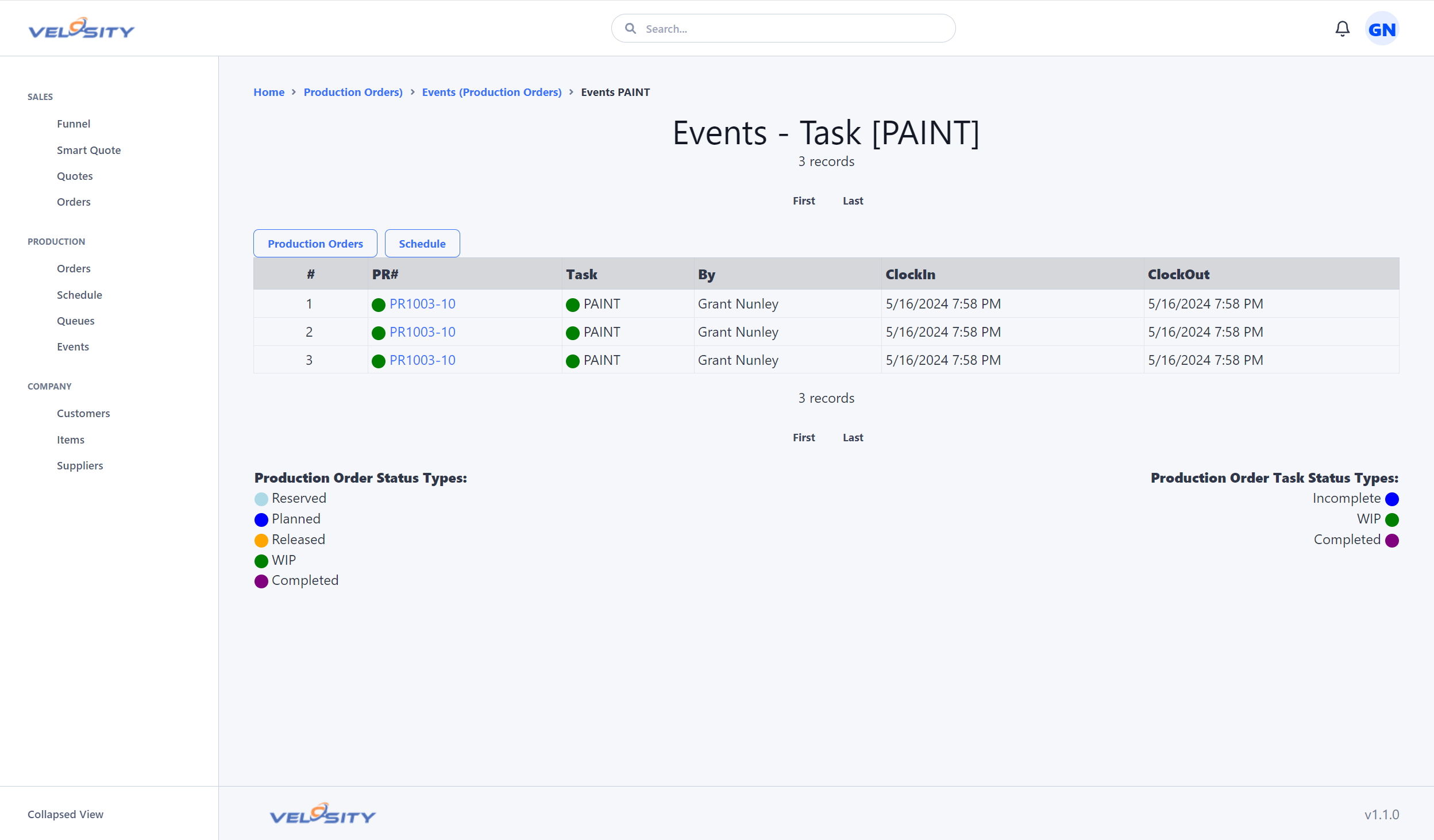
- Log Events: Use the Events tab to log specific downtime, quality issues, or machine maintenance. This data helps planners understand why a job might be running behind schedule.
- Handle Rework with Insert Task: If a part needs an unexpected extra step (like additional de-burring or a repeat wash), use the Insert feature to add a temporary task to the router. This ensures the extra labor and time are captured.
Why Time Accuracy Matters
The time you spend clocked into a task is logged as an Event.
- Cost Accuracy: These events are used to calculate the actual labor cost of the job.
- Better Quoting: Smart Quote uses historical event data to refine its time estimates. If tasks are consistently taking longer than estimated, the system will adjust future quotes to reflect reality, ensuring the company stays profitable.
- Visibility: It allows managers to see "Who is working on what" in real-time without having to walk the floor.
Best Practice Tip:
If you are leaving your station for a long break or a shift change, ensure you update the task status to PAUSED or COMPLETED to stop the active clock.