Customer Price Breaks
This document explains how to define price breaks for customers and how they are applied to sales quotes.
!!! note "Configured vs. SKU Items" Customer Price Breaks are primarily used for Configured (Smart Quote) line items. While they can also override standard SKU Item pricing, most SKU-specific volume discounts are managed directly on the Item record.
Defining Price Breaks on the Customer Record
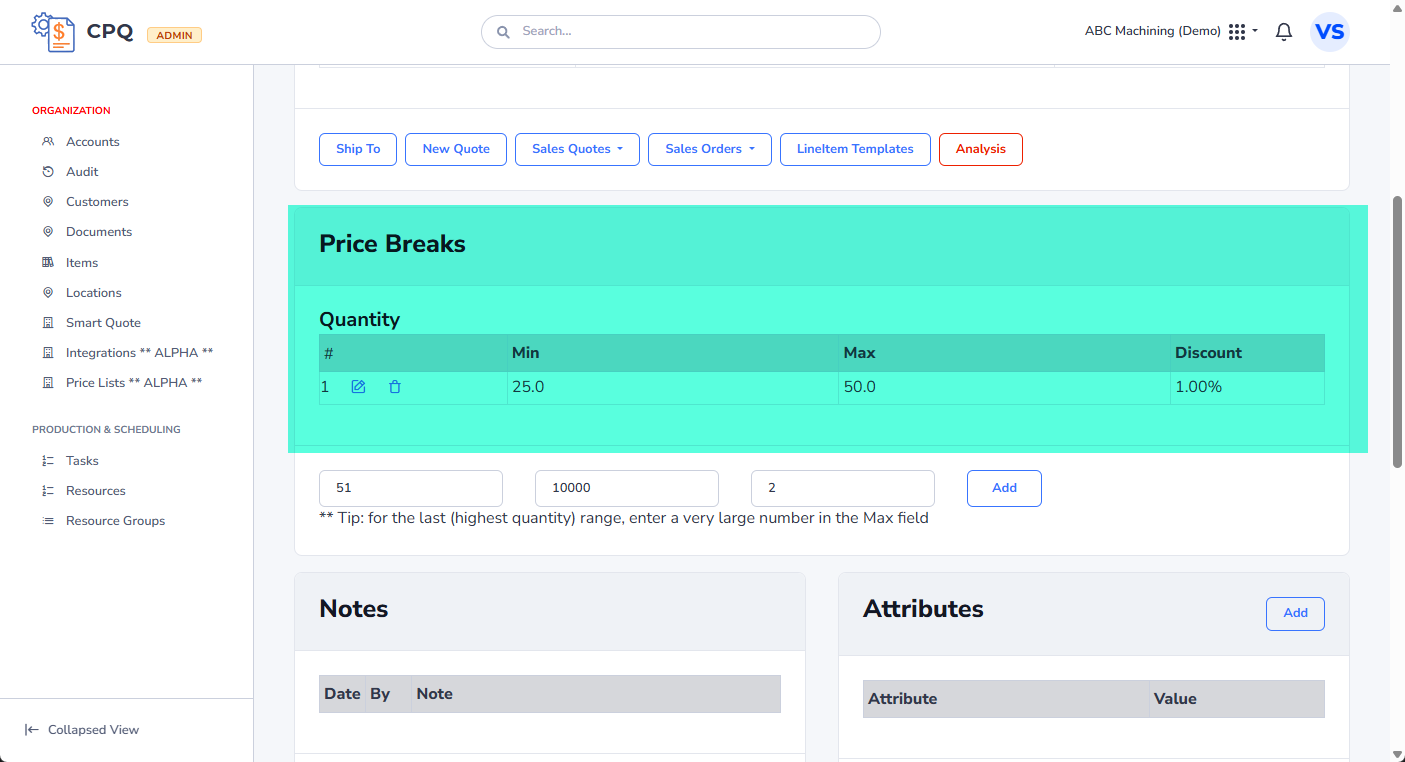
Price breaks are configured directly on the customer's detail page. This allows for customer-specific discounting based on order volume.
- Navigate to the Customers section and select a customer to view their Detail page.
- Locate the Price Breaks section.
- You can add new price break ranges by specifying:
- Min Qty: The minimum quantity required to trigger the discount.
- Max Qty: The maximum quantity for this discount range.
- Discount: The percentage discount applied to the unit price.
Applying Price Breaks to Sales Quotes
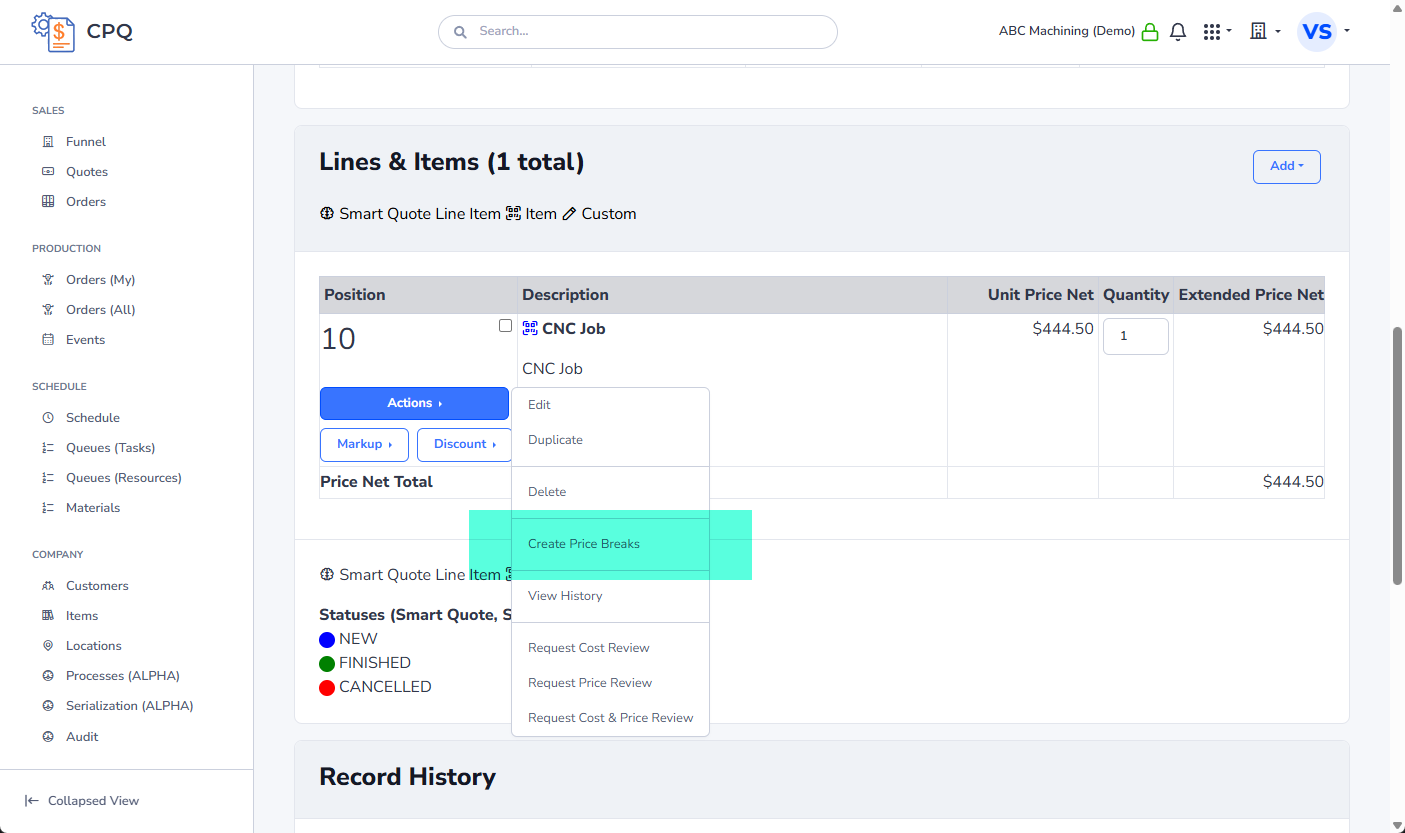
Once defined on the customer record, these price breaks are automatically available when creating or editing a Sales Quote for that customer.
- Open a Sales Quote Detail view.
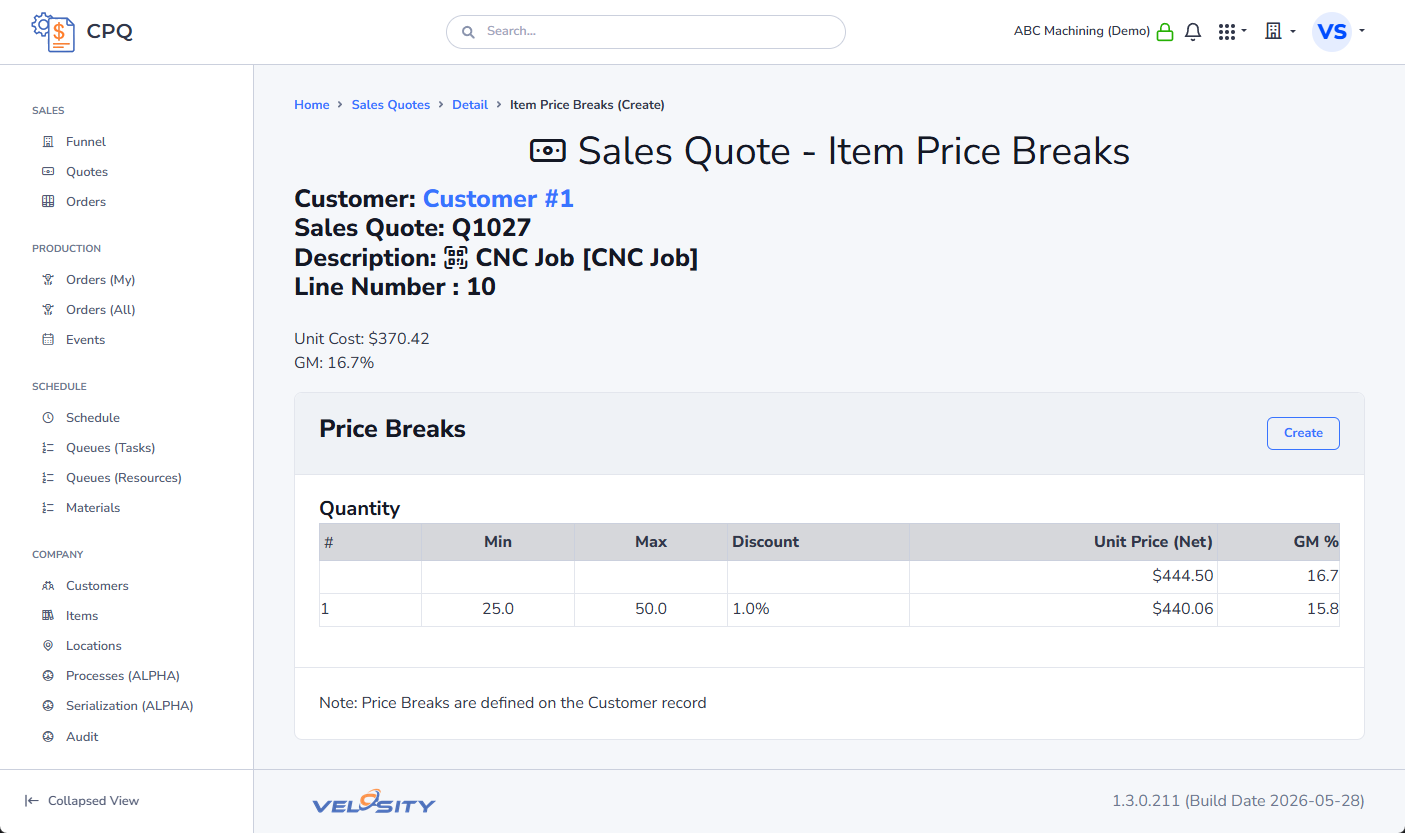
- If the customer has price breaks defined, they will be visible in the Customer Price Breaks (Available) section.
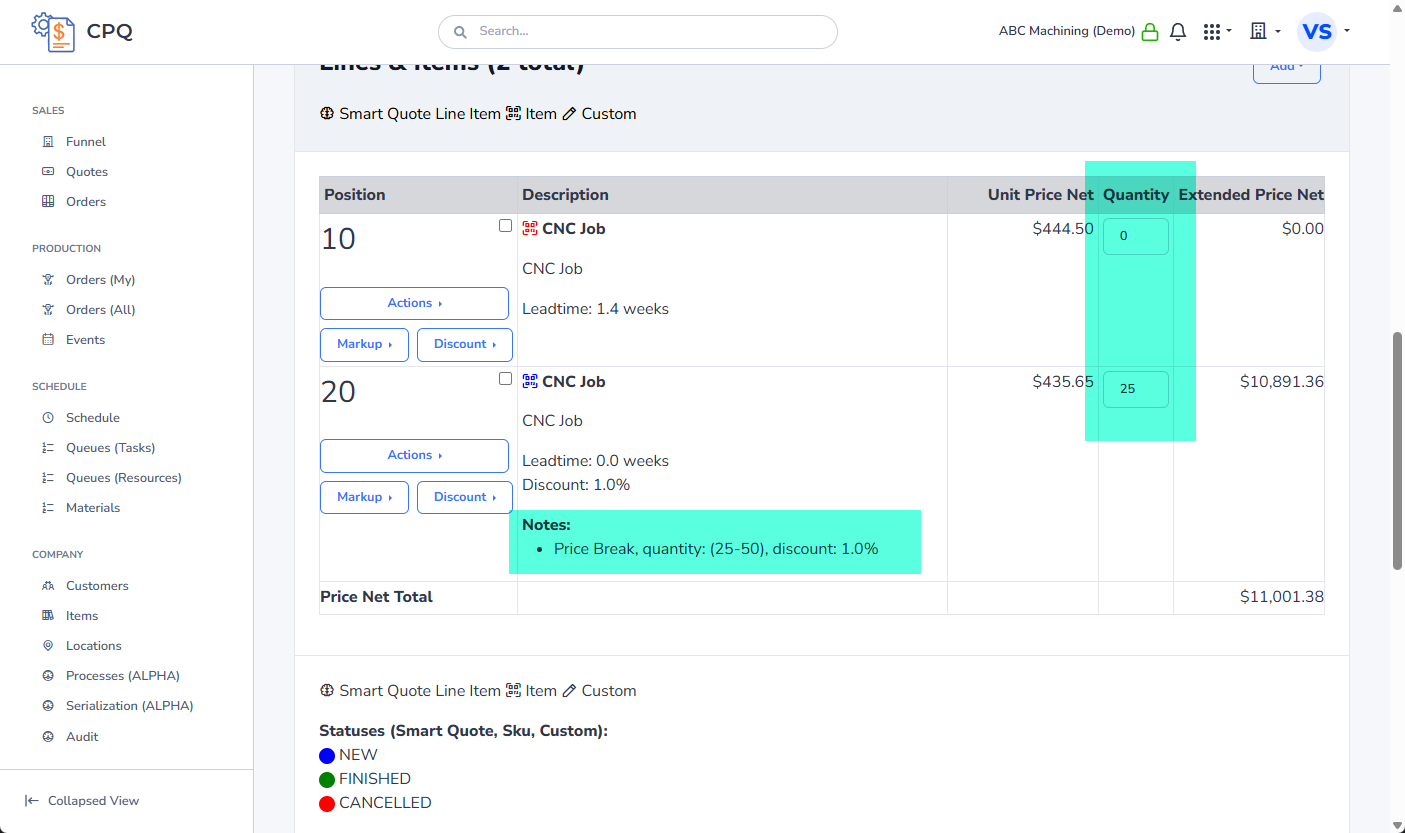
- The system uses these ranges to calculate the appropriate discount based on the line item quantities.